Sprocket Studio
The authoritative knowledge layer for SharePoint
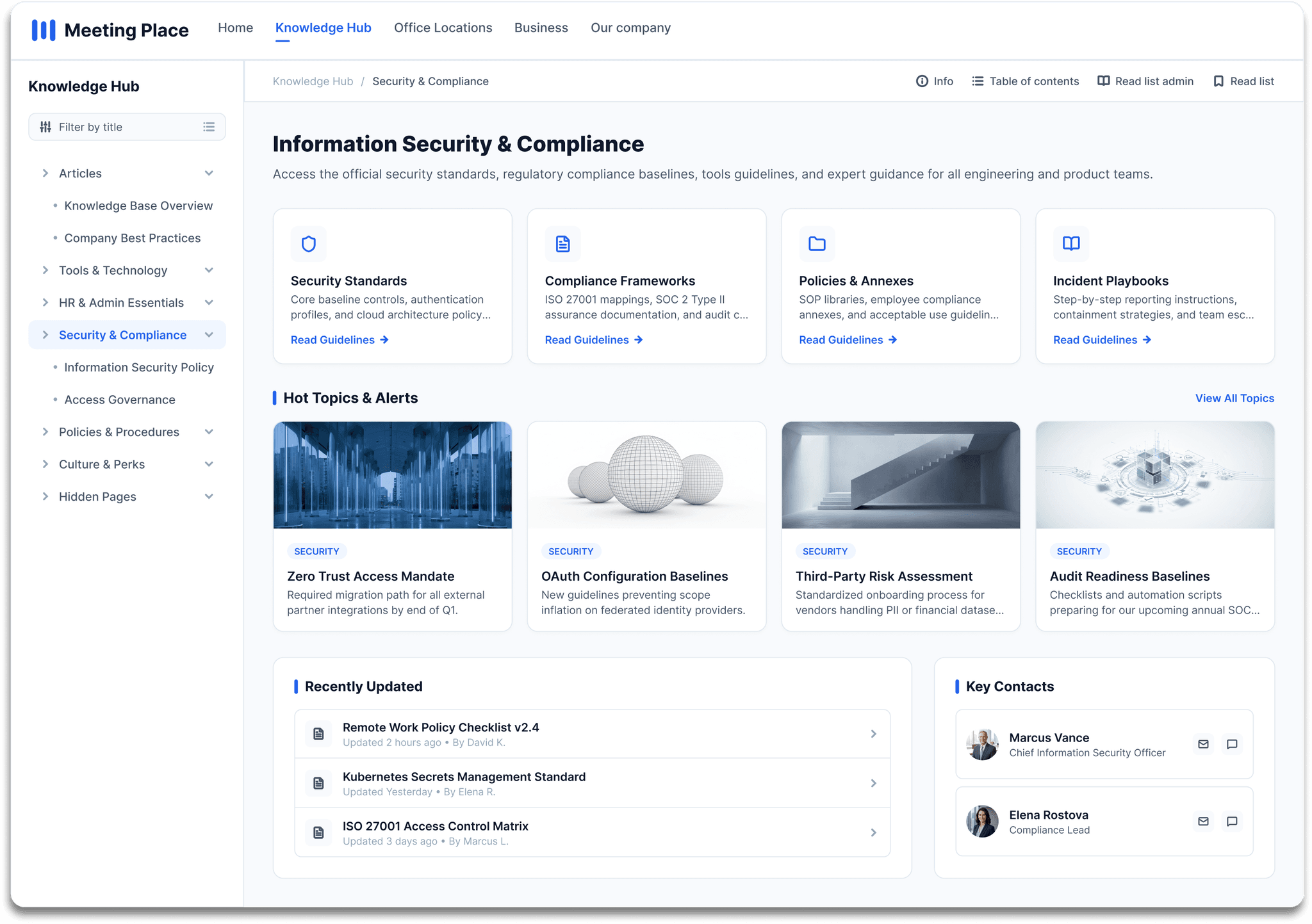
Knowledge Hub turns SharePoint into a structured, trusted reference layer with hierarchical navigation, scoped search, document conversion and Read Lists for compliance tracking.
Core features
Knowledge your team can trust
Your pages stay in SharePoint. Knowledge Hub adds the authoritative layer around them: structured navigation, scoped search, onboarding flows, document conversion and compliance-ready Read Lists.

Wiki navigation
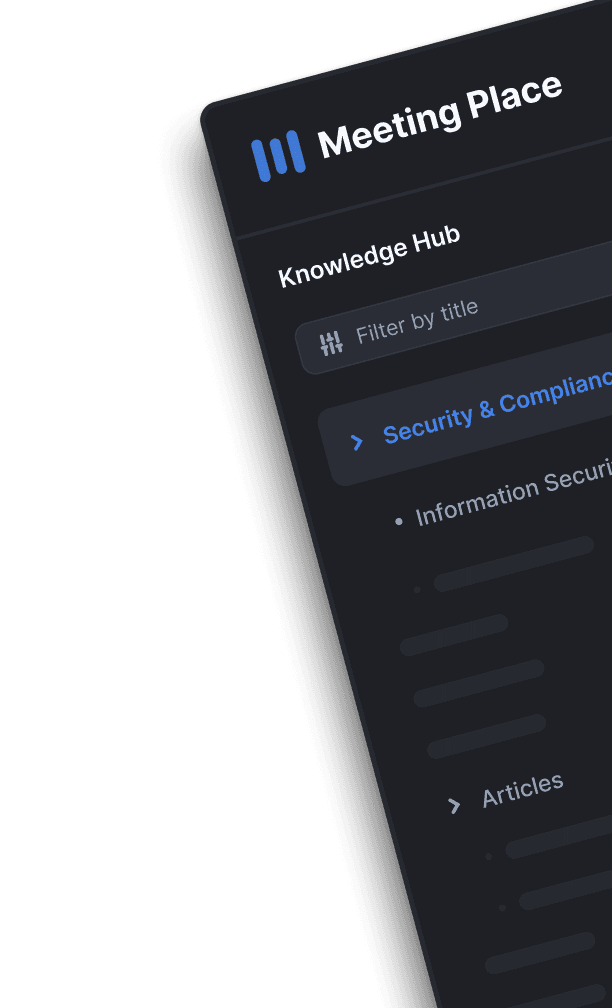
A left-hand wiki tree editors control with drag-and-drop. Readers always know where they are and what comes next.

Scoped search
Search inside the knowledge area you're reading, with highlighted results, snippets, breadcrumbs and filters.


Document conversion
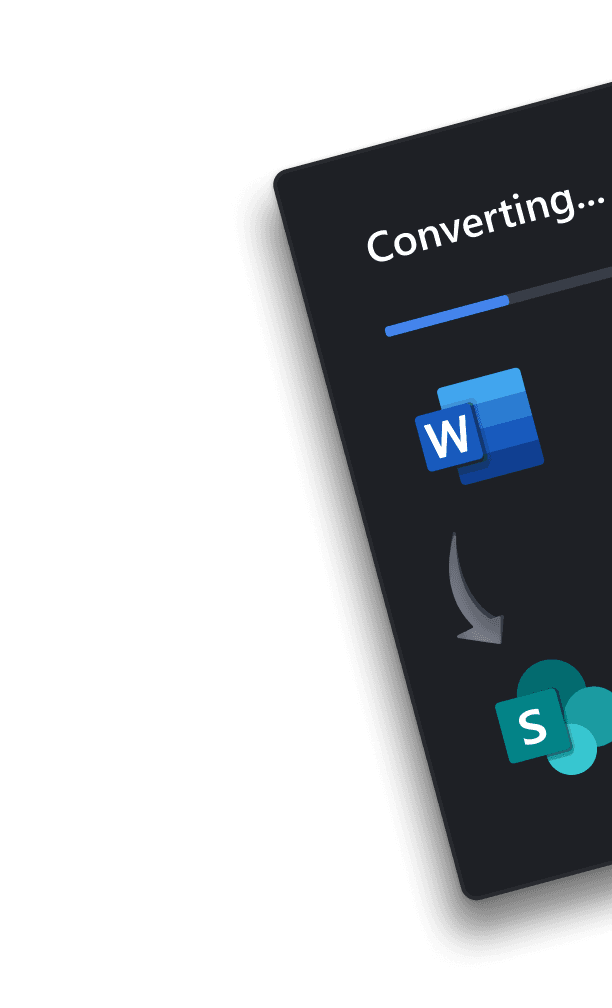
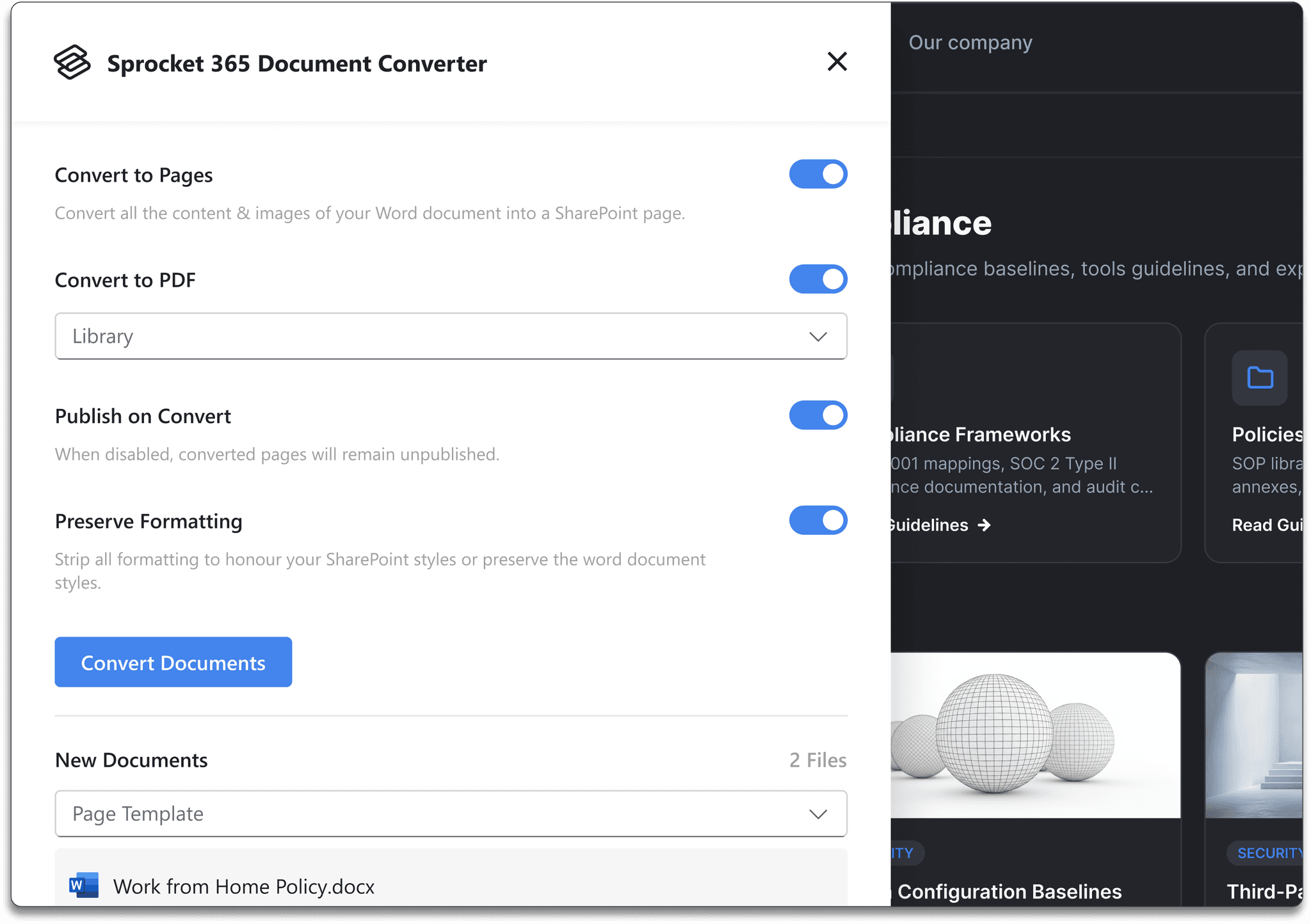
Bulk-convert Word documents into SharePoint pages — readable, searchable, and compatible with Read Lists.

Read List admin
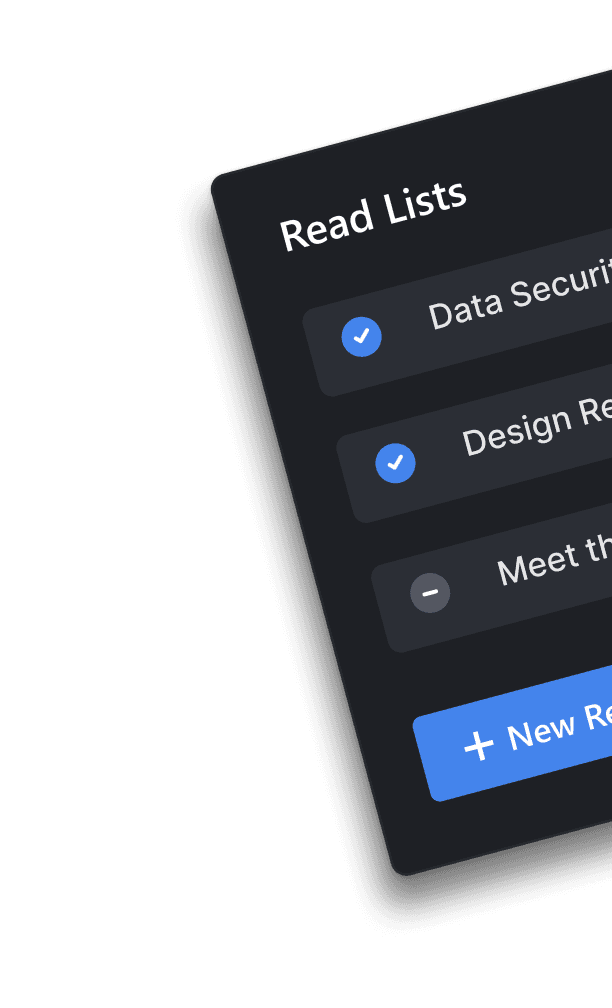
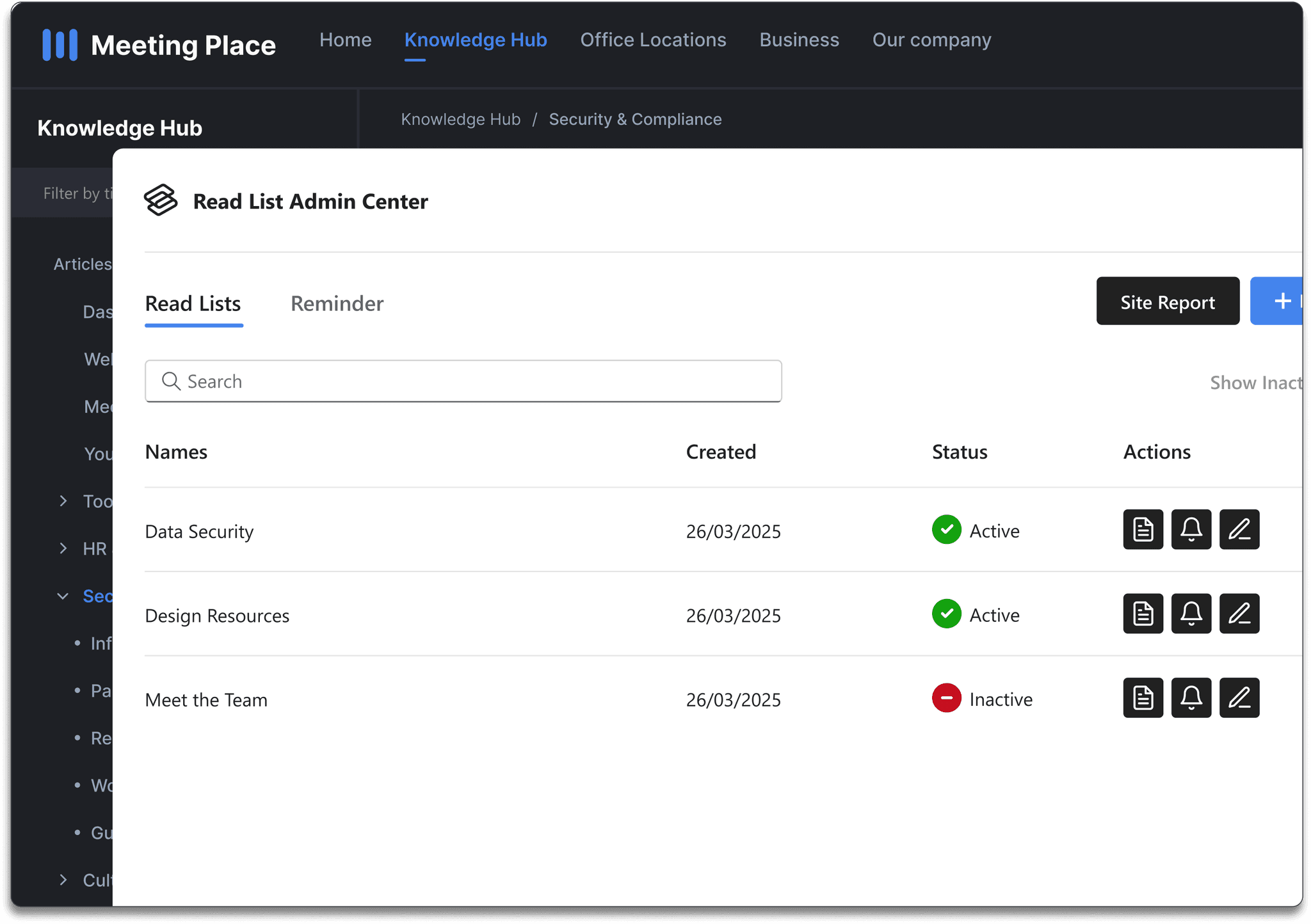
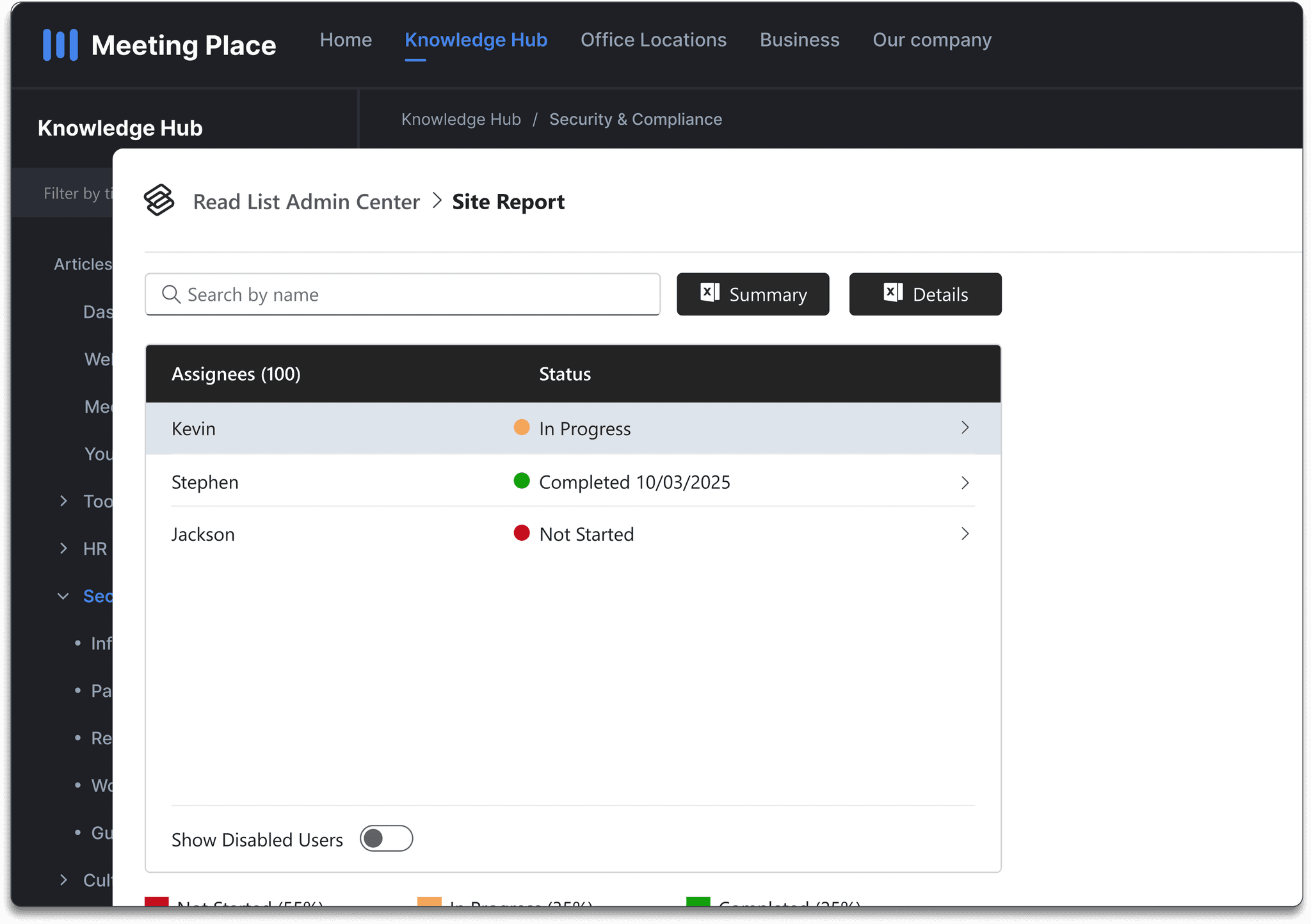
Assign required reading, set due dates, send reminders, track completion, and export compliance reports.
Wiki Menu
A knowledge base your team can actually navigate
Structured wiki navigation
Knowledge Hub gives every SharePoint site a proper left-hand wiki tree — hierarchical, editor-controlled, and always visible alongside the content. Readers always know where they are and what comes next.
 Hierarchical navigation tree with drag-and-drop editing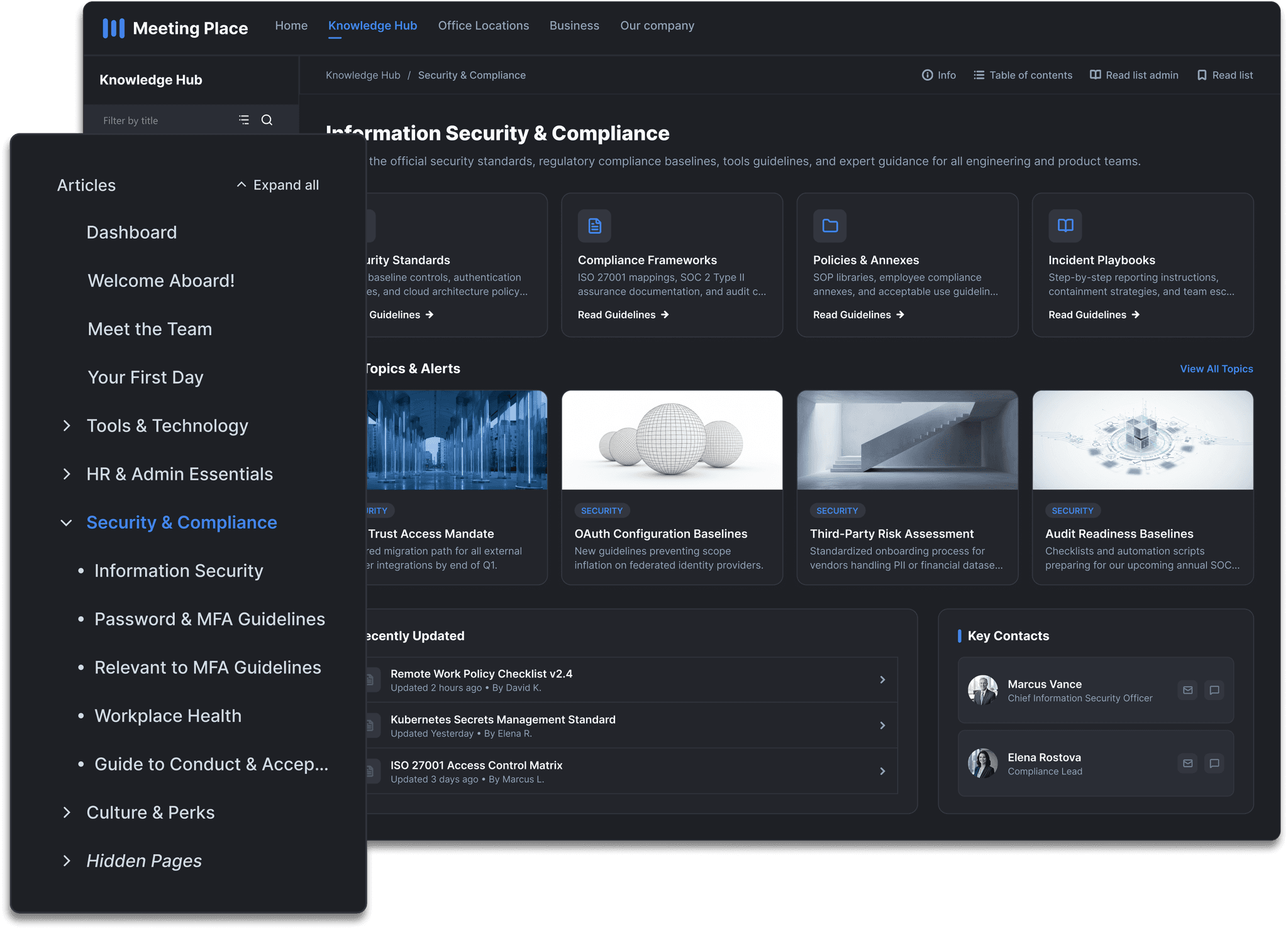
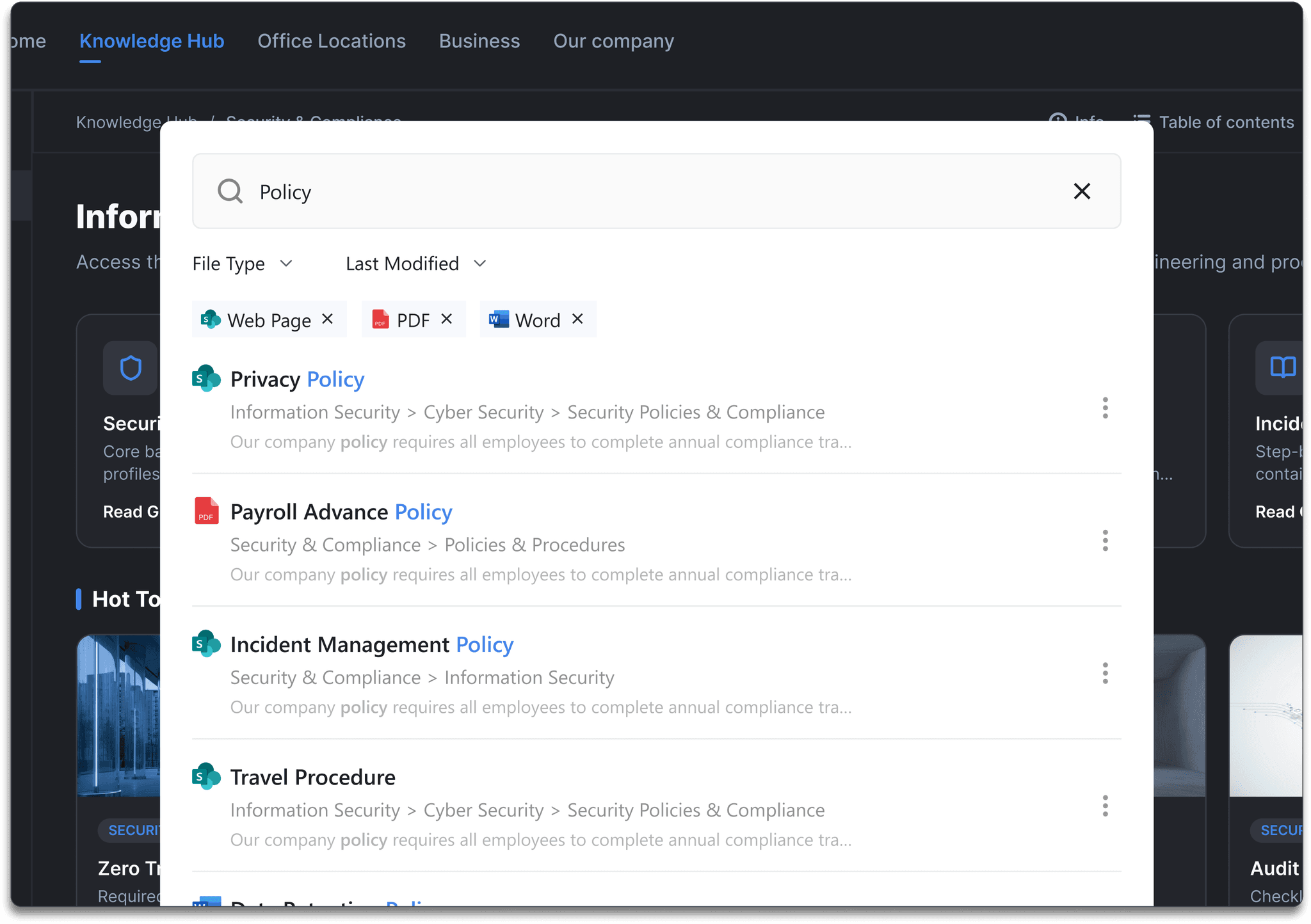
Scoped knowledge search
Knowledge Hub search is scoped to the area you're reading, so results stay relevant. Highlighted matches, result snippets, breadcrumbs and filters help people land on the right page without scanning irrelevant content.
Read List Admin Center
Assign, track and prove required reading
Read List assignment
Assign pages to people or Microsoft 365 Groups, set due dates, send reminders, and track every acknowledgement without leaving SharePoint. When content changes, re-assign reading automatically.
Compliance reporting
Every read acknowledgement is timestamped and stored in your tenant. At the close of any compliance period, export completion data by user, page or list — no extra tools, no manual chase.
Document conversion
Turn Word documents into knowledge pages
Most teams have years of policies, procedures and training content locked in Word files. The Document Converter bulk-converts them into proper SharePoint pages — browser-readable, searchable, and compatible with Read Lists.
Also included
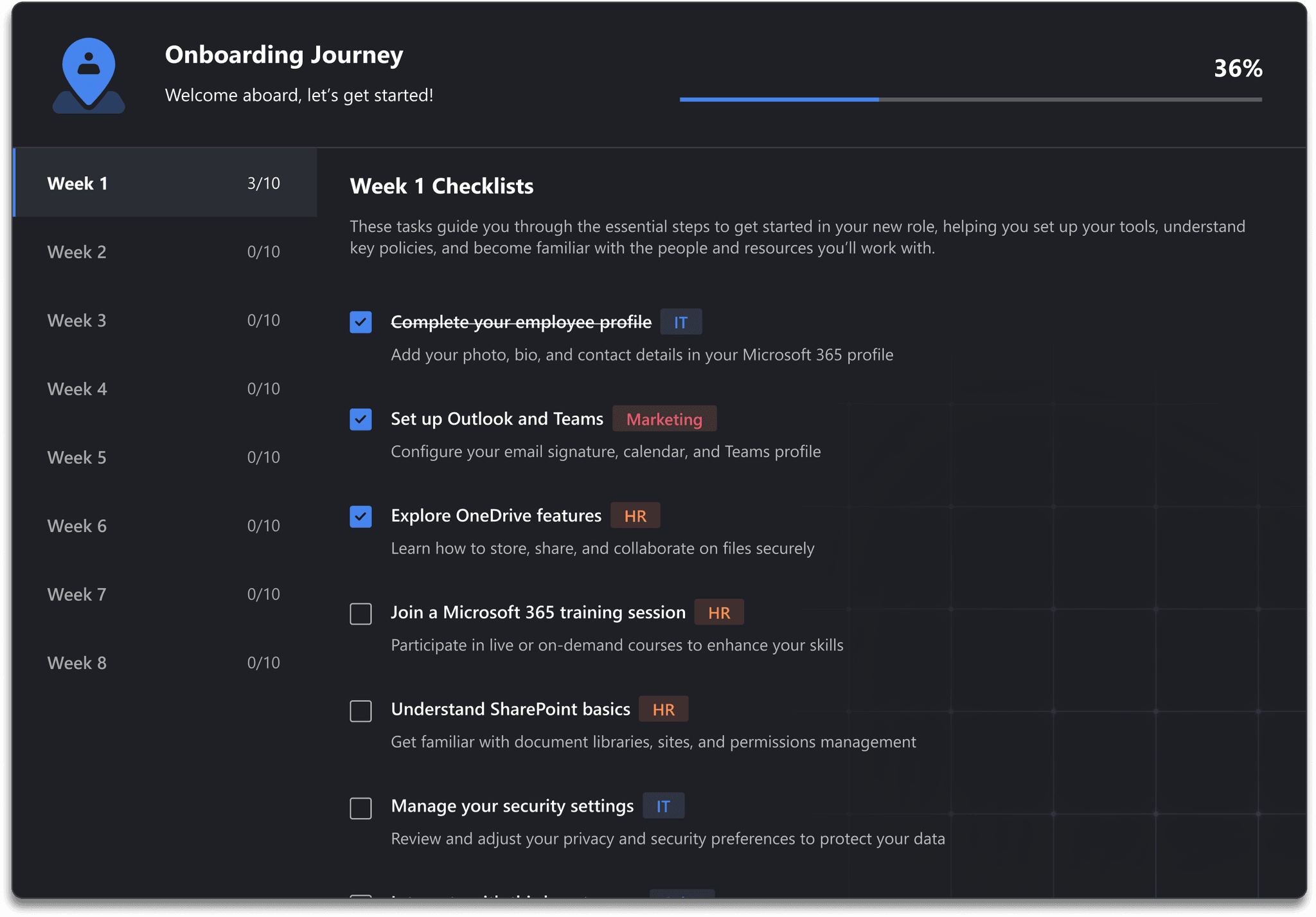
A personalised path for every new starter
The Onboarding web part gives each new employee a structured, personalised checklist of what to read, watch and do in their first days and weeks — surfaced directly in SharePoint, no extra tools needed.
Use cases
Built for teams turning SharePoint into a source of truth
Company policies
Publish policies as pages, assign required reading, and prove who has acknowledged each update.
SOPs and procedures
Create a browsable operating manual with previous and next navigation for process-heavy teams.
Onboarding hubs
Give new starters a structured path through the content they need in their first days and weeks.
IT and support knowledge
Make troubleshooting guides, service information and internal FAQs easy to find inside SharePoint.
Compliance records
Track completion, export reports and keep audit evidence tied to the source pages in your tenant.
Department knowledge bases
Give HR, Operations, Finance, Sales and project teams a trusted, maintained knowledge base in the tool they already use.
SharePoint gap
What Knowledge Hub adds to SharePoint
Already using Studio? Set up Knowledge Hub from the docs →
Ready to build your authoritative SharePoint knowledge base?
Start a free 14-day Studio trial and give your team structured, trusted knowledge with Read Lists built in.