Version 7.2: Quicklinks, KPI, Markdown and a 100x Faster Header
By Trent Allday, Founder, Sprocket 365
Sprocket Version 7.2 is here.
This release adds three new web parts: Quicklinks, KPI and Markdown. The Sprocket header now loads up to 100 times faster. We've redesigned the settings panels and placeholders across most of the product, and fixed a long list of bugs along the way.
Let's walk through it.
New Web Part: Quicklinks
Most intranet home pages need a set of links to the tools, forms and pages people use every day. The new Quicklinks web part gives you a tidy way to present them.
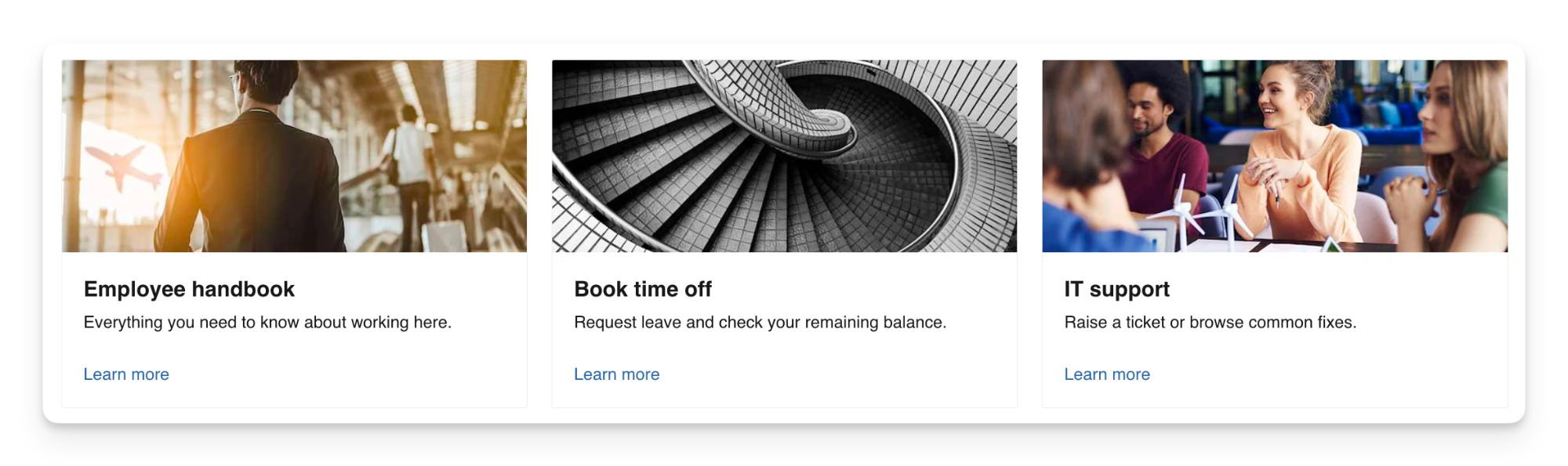
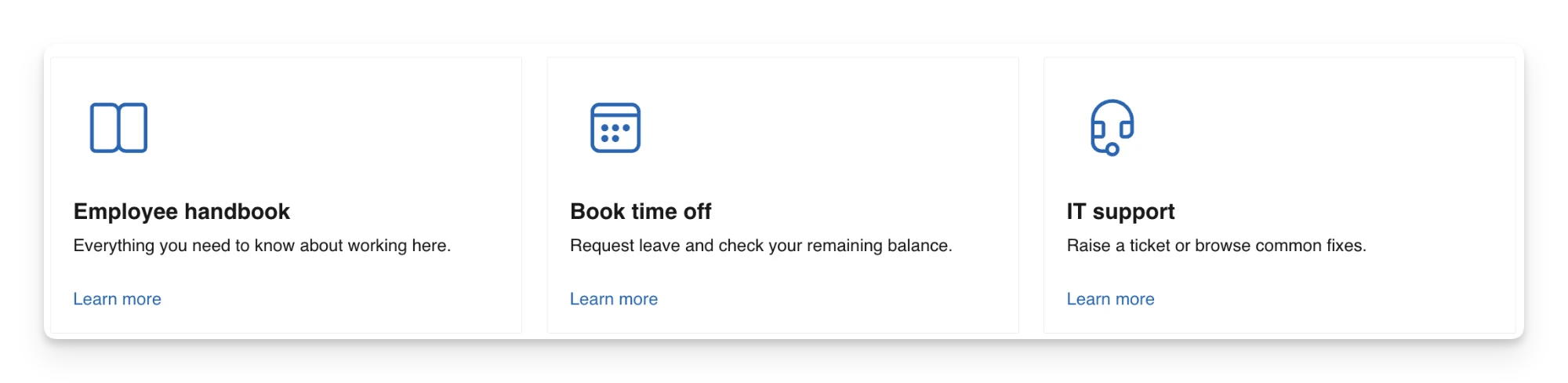
Each link can have an image or icon, a title, a description and a call-to-action button. You can pick from three layouts:
- Image: a large image at the top or on the left of each link.
- Icon: a smaller icon above the text.
- Compact: the tightest layout, with the icon at the top or on the left.
You choose whether to show the description and the button, and you can set the button text and link colour. Every layout is responsive, so Quicklinks adjusts on its own whether you drop it into a full-width section or a quarter-width column.
Image layout
Icon layout
Compact layout

New Web Part: KPI
The new KPI web part puts your key numbers front and centre. Use it for people helped, projects delivered, safety days, customer satisfaction or any metric your team wants to celebrate.
Sprocket creates the SharePoint list behind it for you when you add the web part. Each item has a label, a value and a unit, and you set whether the unit is a prefix (like $) or a suffix (like K or %). You can also add an icon or image and set the sort order.
Show several KPIs in one web part and style them the way you like:
- Icon or text-only layouts
- Value above or below the label
- Left, centre or right alignment
- An optional accent border on the left, top or bottom
Values count up with a short animation when the page loads. If you'd rather they appear straight away, switch the animation off in the settings.
Because the data lives in a SharePoint list, you can connect a Power Automate flow to update your numbers on a schedule and keep them live.
New Web Part: Markdown
AI tools love Markdown. As your teams use Copilot, Claude and other AI platforms, more of your content ends up as .md files, and plenty of those files live in SharePoint document libraries.
The new Sprocket Markdown web part displays an existing Markdown file on any SharePoint page. Point it at a file in a document library, on the current site or another site, and the page renders it using your site's theme and formatting.
You keep one source file and show it wherever it's needed. Update the file, and every page that displays it stays current, with no copying and pasting between pages.
Header: Up to 100x Faster
This is the change we're most excited about.
When you load a SharePoint page, SharePoint shows its own header first, and then the Sprocket header replaces it. That swap is the “flicker” people often notice on a full page refresh.
In 7.2 we've reworked the header so that swap happens up to 100 times faster. Your staff reach the Sprocket navigation and tools almost as soon as the page opens. When they move between pages, the header stays in place and doesn't reload at all.
Redesigned Settings Panels and Placeholders
We spent a lot of this release on the authoring experience.
Placeholders. When you add a web part to a page, you now see a preview of how it will look before you configure anything. Your pages look finished while you're still building them.
Settings panels. We've cleaned up the labels and layout of the settings panels so each web part is quicker to set up and easier to maintain. The new design covers the most-used web parts, including Documents, Custom List, Calendar, Events, Daily News, Buttons, Image Gallery, Accordion, Related Pages, Birthdays & Milestones, AI Summary, Page History, Employee Recognition, Location Finder, Table of Contents, My Apps, My Account, My Teams, Alerts and Feedback.
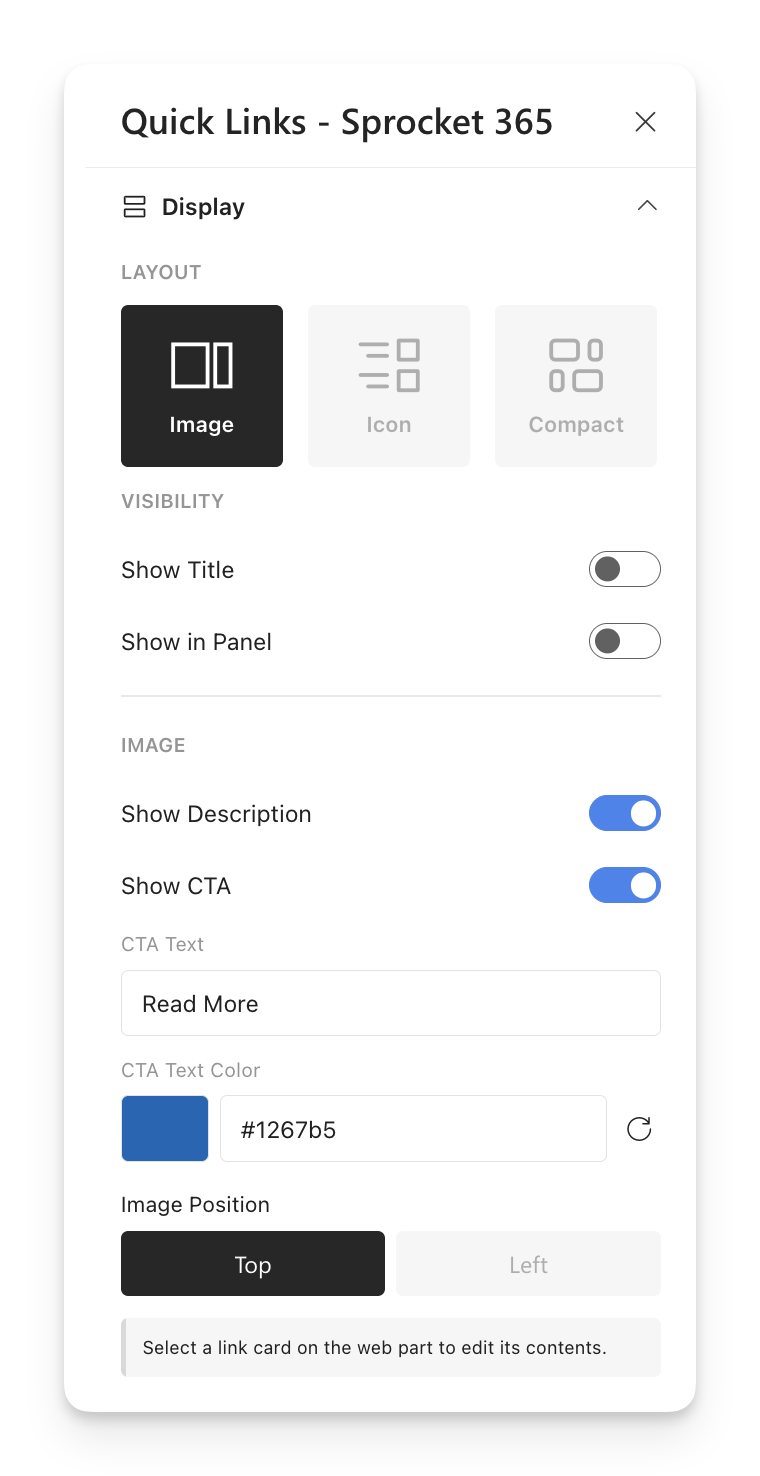
We'll bring the remaining web parts across in 7.3.
Additional Enhancements
Version 7.2 also includes improvements across the product:
- Calendar & Events: Event times now show in each user's own time zone, matching the out-of-the-box SharePoint Events web part. A big help for teams spread across time zones.
- Calendar: Use a custom SharePoint list as an event source, and map your own columns to the title, start date and end date.
- Accordion: A reworked manual Group By setup. Create groups directly and add items inside each one, with no retyping of group names. You can also sort list-based Accordions by any list field.
- Read List: A new on/off toggle in Sprocket Settings lets you hide Read List entirely until you're ready to use it.
- Related Pages: A dedicated page picker that supports every page content type.
- News Hub & Daily News: The category filter now offers every term in the term set, including categories not yet in use.
- Favourites: Now works with the out-of-the-box SharePoint header, so sites without the Sprocket Header get Favourites too.
- My Apps: Detects and creates the OneDrive application folder when it's missing, so My Apps works even when Microsoft's auto-provisioning hasn't run.
- SPFx: Upgraded to the latest SharePoint Framework version.
Bug Fixes
We've fixed more than 25 issues in this release, across Calendar, Daily News, People Hub, Birthdays & Milestones, Custom List, Sprocket Converters, Documents, Buttons and more. A few highlights:
- Cloned Teams sites now copy the source site's regional settings, so dates no longer default to US format.
- Word documents with multi-column or nested tables now convert to pages without content getting cut off.
- Button audience targeting now stays with the right button when you reorder buttons.
- Birthdays & Milestones dates follow each user's regional format, and anniversaries read naturally (“6th Anniversary”).
For the full list of updates and fixes, read the complete release notes.
Version 7.2 gives you three new ways to build better pages, a much faster header, and a cleaner setup experience across the product. And 7.3 isn't far away, with some exciting new features on the way.
As always, keep the feedback coming.
Happy Sprocketing!
About the author
Trent Allday, Founder, Sprocket 365
Trent founded Sprocket 365 after years of building knowledge bases, intranets and digital workplaces on SharePoint with Sope, a Melbourne-based Microsoft partner.