Version 6.6: Enhanced UX, Settings, Compliance Reporting, Page Formatting, People Hub & Fluent UI 9 SPFx
By Trent Allday, Founder, Sprocket 365
We're excited to announce the release of Sprocket 365 Version 6.6 - one of our most significant updates yet.
This release is packed with powerful improvements, including a redesigned UX across multiple features, deeper SharePoint integration, and a host of technical and performance upgrades.
Whether you're configuring your environment, managing compliance, or working on branding, Version 6.6 makes everything smoother, faster, and more intuitive.
Let's take a closer look at what's new.
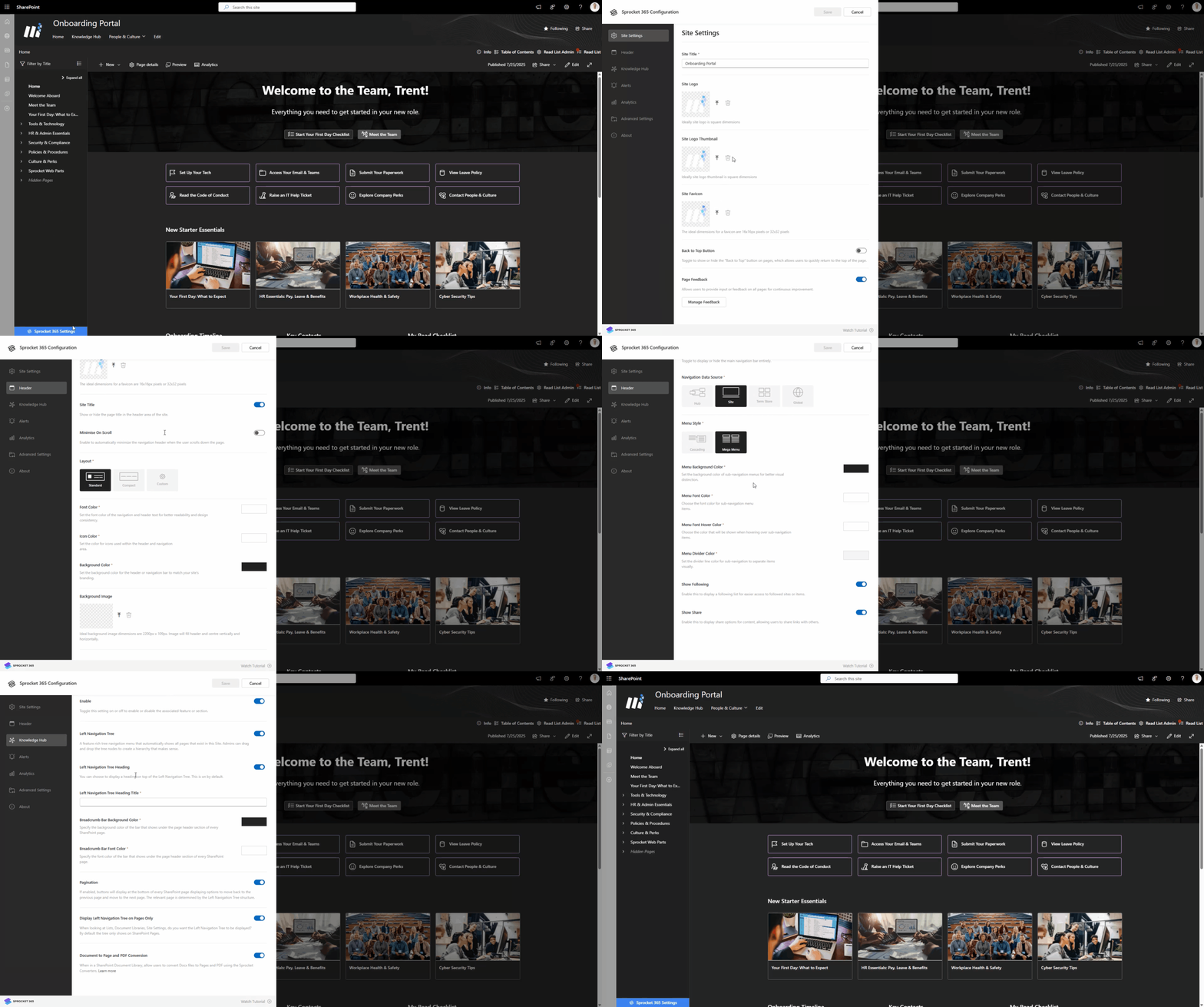
Completely Redesigned Settings Panel
If you've ever wondered how to manage your Sprocket site more effectively, the new settings update is for you.
- Cleaner, clearer UX for configuring your site.
- Streamlined navigation for faster setup.
- A more intuitive experience from start to finish.
This update puts control firmly in your hands.
Read Lists: Major Overhaul + New Site Report
Read Lists have been reimagined to make compliance tracking easier than ever.
- Brand New UX: Simplified and user-friendly.
- Site Report: Full visibility into compliance across your entire organization.
This makes it easier to drive accountability and meet compliance standards without the admin overhead.
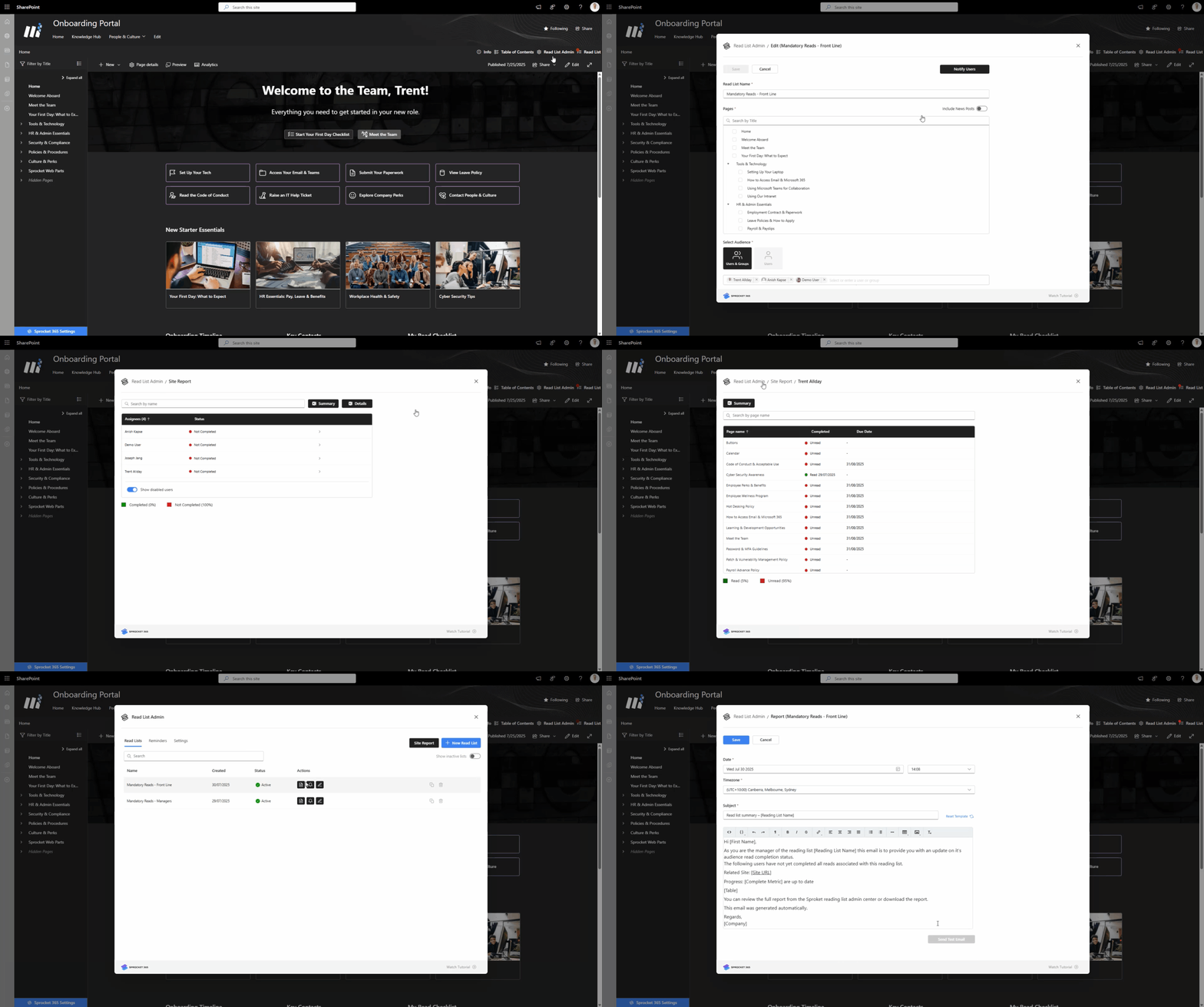
Plus, we have enhanced the notification system.
- Send a Test Email: Confirm your notifications are working exactly as expected before rolling them out.
- Improved Notifications: More reliable, more customisable, and more useful.
Document Converter Updates + New Formatting Flexibility
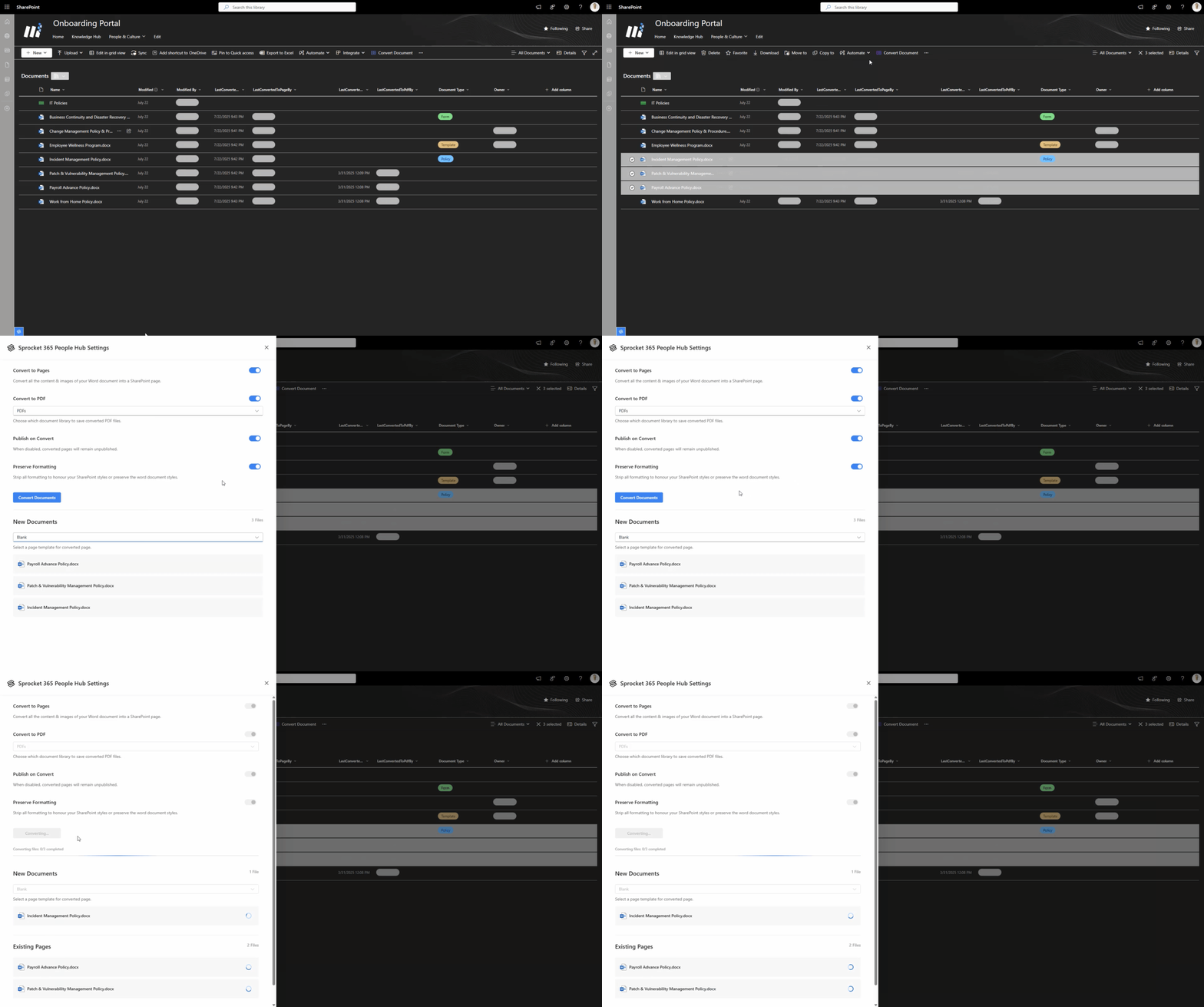
The Document Converter gets a fresh new look - but it's not just cosmetic.
- Updated UX for a more intuitive experience.
- Strip Formatting Option: Choose whether to:
- Preserve the formatting from your original document
- Or apply SharePoint's site branding for a seamless, polished look.
This flexibility gives you more control over the final appearance of your content.
People Hub: Redesigned Settings Experience
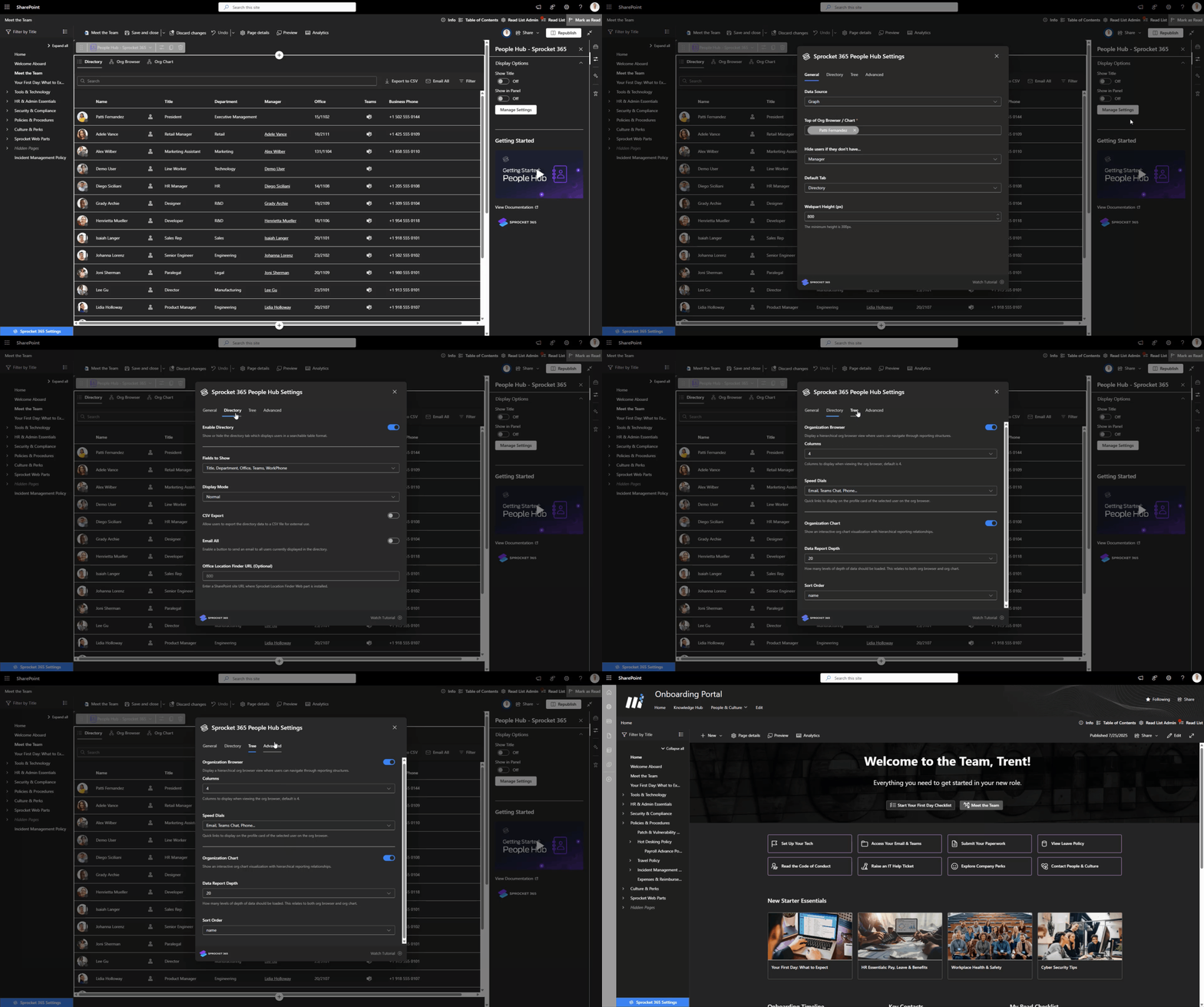
The People Hub now features a completely overhauled settings experience.
- Easier configuration
- Better customisation for different organisational needs
- All with a more intuitive interface
Admins can get things done faster, and users benefit from a better, more consistent experience.
SharePoint Native Alignment with Fluent v9 + Brand Center Support
Faster. Better. Stronger.
We've made major technical upgrades to bring Sprocket even closer to the native SharePoint experience.
- All web parts now run on Fluent UI version 9, creating a more seamless and consistent visual experience across your environment.
- Support for Dark Sections: Sprocket web parts now look great in both light and dark themes.
- Support for Custom Fonts: Pull in your brand's fonts from the SharePoint Design Center.
These updates ensure your intranet stays visually aligned with your corporate identity - right out of the box.
Performance Boosts
Faster. Better. Stronger.
We've invested heavily in performance this release.
- Sprocket 365 is now faster and more responsive than ever
- Numerous bug fixes have been included to enhance stability and polish
Version 6.6 is now available.
We're proud of the improvements in this release and believe they'll make a real difference to your Sprocket 365 experience.
Version 6.6 also includes a range of additional enhancements, all listed in our Release Notes for those who want to dive deeper.
As always, we'd love to hear your feedback.
Happy Sprocketing!
About the author
Trent Allday, Founder, Sprocket 365
Trent founded Sprocket 365 after years of building knowledge bases, intranets and digital workplaces on SharePoint with Sope, a Melbourne-based Microsoft partner.