Advanced Settings
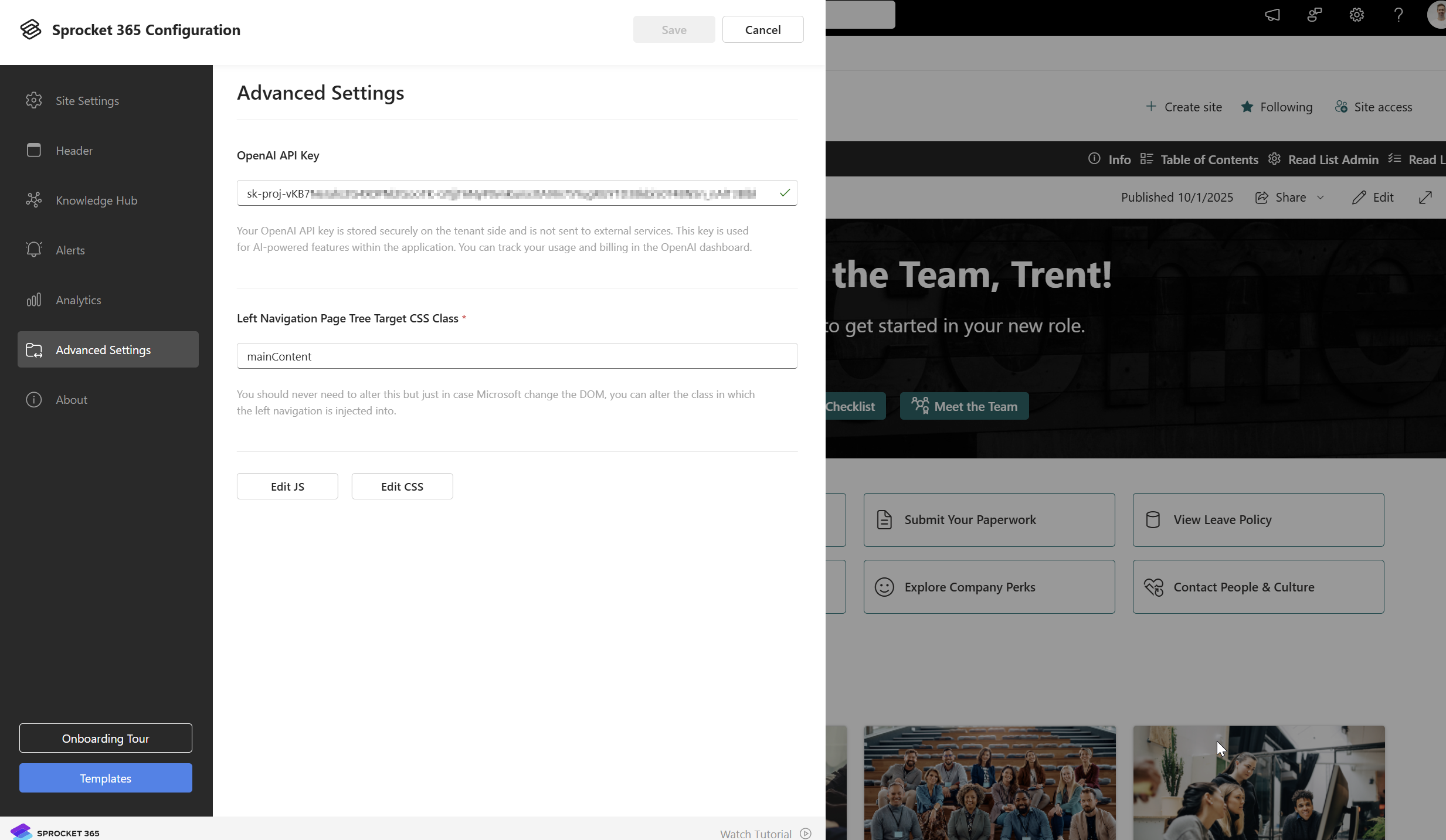
Advanced Settings lets administrators manage optional site-wide settings such as the OpenAI API key for AI Summary and custom CSS or JavaScript.
Quick Start Overview
Configuration Options
OpenAI API Key Configuration
The AI Summary web part uses Microsoft 365 Copilot by default. You only need to configure an OpenAI API key if you change the AI Summary web part's Summary Data Source to OpenAI.
To use OpenAI:
- Create or sign in to your OpenAI account at https://openai.com.
- Go to the OpenAI dashboard and open the API keys section.
- Click Create new secret key.

- Copy the generated key. It should start with
sk-. - In Sprocket settings, paste the key into the
openAIAPIKeyfield. - Confirm your OpenAI account has billing or credits available.
- Monitor OpenAI usage from the OpenAI dashboard if your organisation needs cost controls or usage alerts.
If you are using Microsoft 365 Copilot as the AI Summary data source, leave this field blank unless you also want OpenAI available as a fallback option.
Example CSS Configuration
Click Edit JS and Edit CSS buttons to add/manage custom scripts.
Applying the following CSS will change the Sprocket App Launcher icons to be squares instead of circles.
.SproketModernContainer_181b8020 .sproket-app-icon-link .sproket-coin img {
    width: 47px;
    height: 47px;
}
.SproketModernContainer_181b8020 .sproket-coin {
    border-radius: 0;
}