Template Gallery
Why Template Gallery?
Transform your SharePoint site creation experience with a curated collection of professionally designed templates. Template Gallery eliminates the guesswork from site setup by providing ready to use templates that you can browse and apply with just a few clicks. Whether you're building a team collaboration space, a communication portal, or a departmental hub, Template Gallery helps you start with a polished foundation.
Browse & Discover
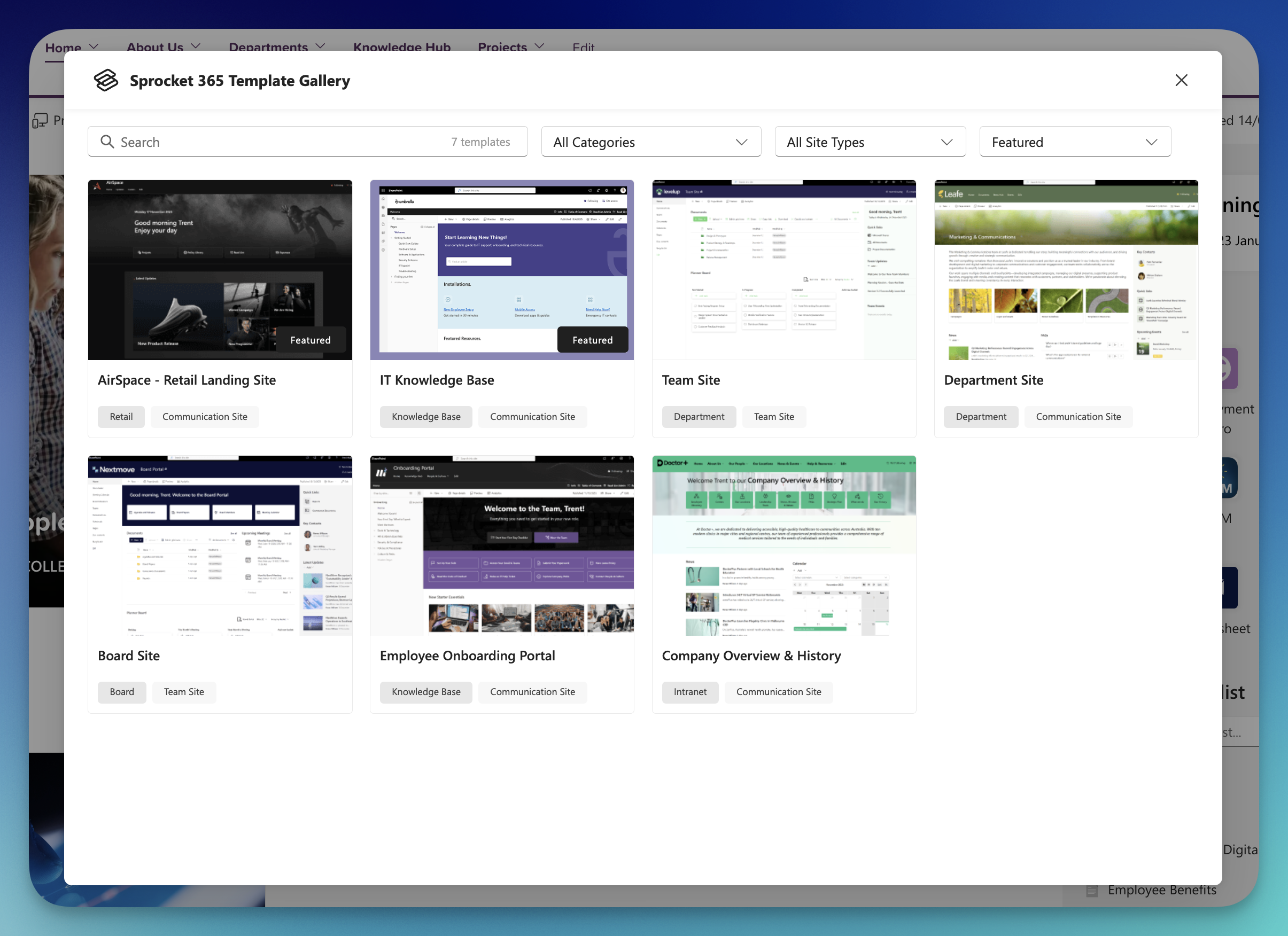
- Curated Template Collection: Access professionally designed templates for common business scenarios
- Easy Search & Filter: Quickly find the right template by category, site type, or keyword
- Visual Previews: See exactly what you're getting before you apply
Preview Before You Apply
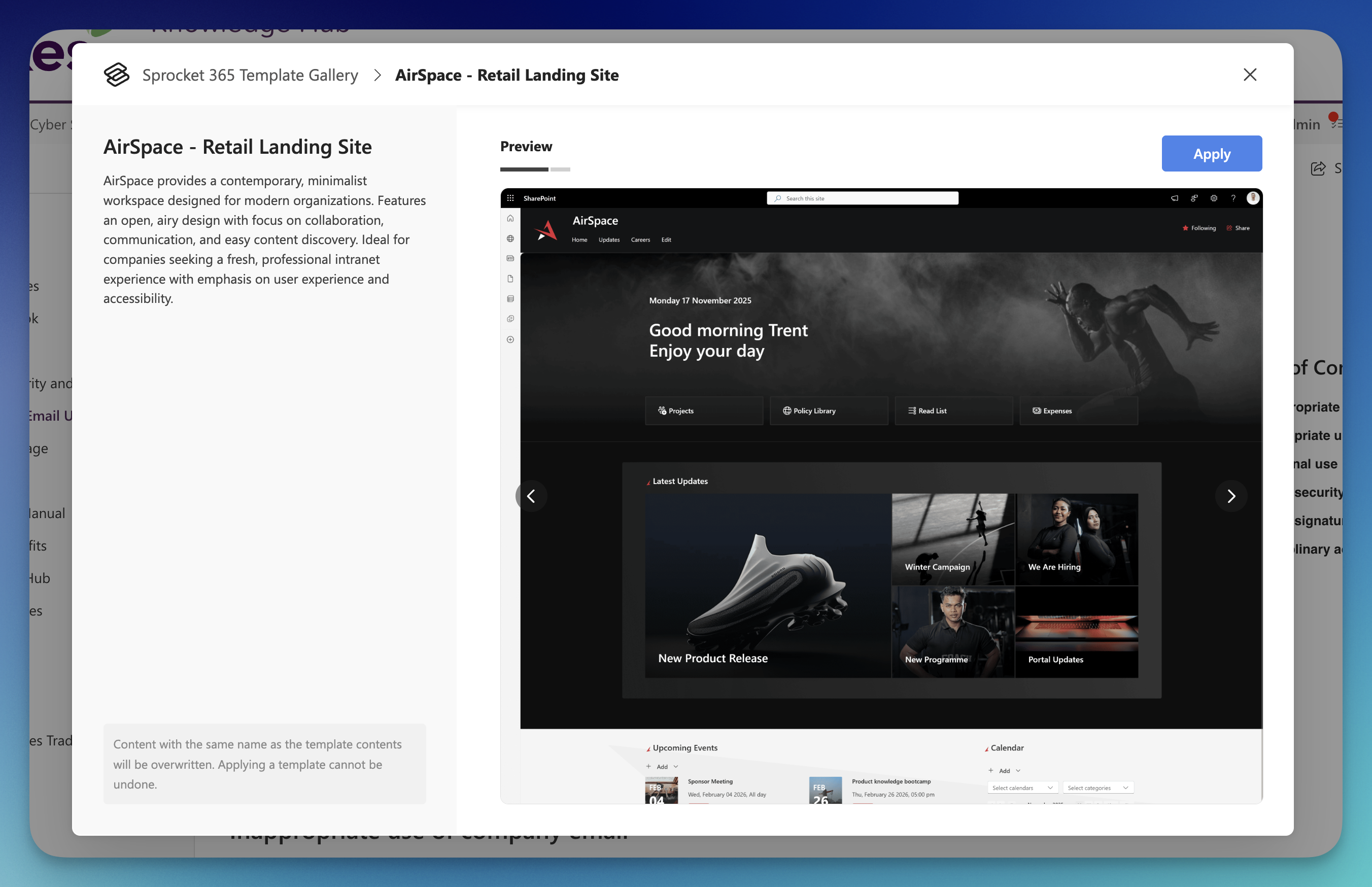
- Multiple Preview Images: Browse through screenshots showing different pages and layouts
- Detailed Descriptions: Understand what each template includes and how it can help your team
- Compatibility Checks: Know instantly if a template works with your site type
Apply with Confidence
- One-Click Application: Apply any template to your site with a single click
- Real-Time Progress: See exactly what's happening as your template is applied
- Full Control: Cancel or retry if needed
What's Next?
Learn more about Template Gallery's features:
- Applying Templates - Step-by-step instructions for applying templates to your site
- Troubleshooting - Solutions for common issues and how to get help