The Four Layers of Knowledge: Why Most Organisations Get Knowledge Management Wrong
By Trent Allday, Founder, Sprocket 365
Most organisations don't have a knowledge problem. They have a layer confusion problem.
They put everything in one place, or in three places with no logic, and nobody knows what they can trust, where to look, or whether what they find is still current. The intranet becomes a dumping ground. Policies live in email chains. New starters ask the same questions for six months because the answer exists somewhere, in some form, that nobody can find.
The root cause, in almost every case, is not a lack of tools. It is a failure to recognise that knowledge in an organisation operates at four distinct layers. Each layer serves a different purpose, has a different relationship with trust, and needs a different tool. Collapse them into one, or fail to name them at all, and you get the chaos most teams quietly accept as normal.
The four layers
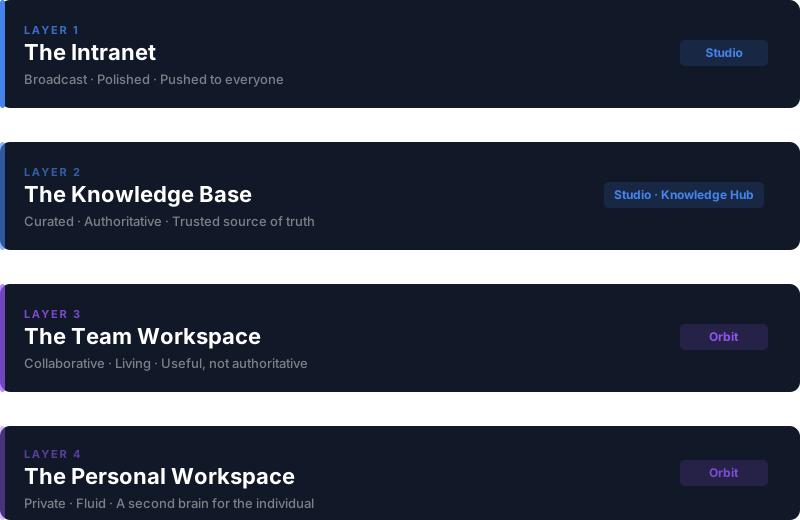
Think of knowledge in your organisation as a stack. At the top sits the broadcast layer, visible to everyone. At the bottom sits the personal layer, visible to one. In between are the two layers where most operational knowledge actually lives, and where most organisations have the biggest gaps.
Layer 1: The intranet
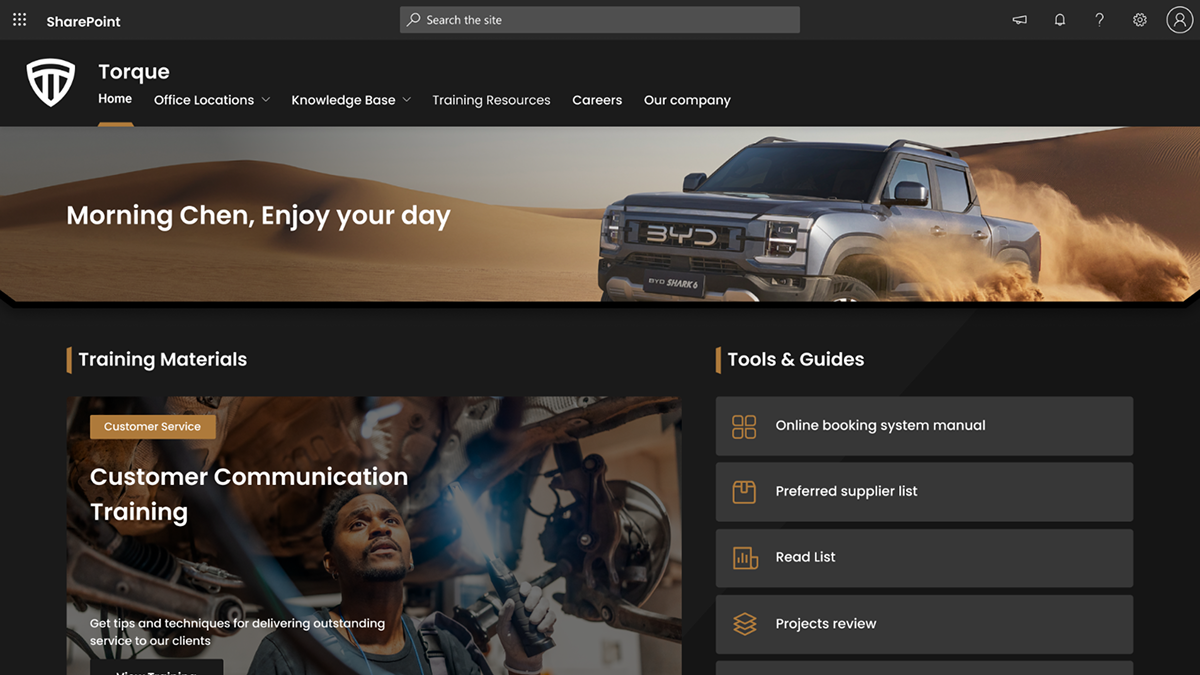
The intranet is broadcast, not reference. It is where the organisation speaks to its people: CEO updates, HR announcements, policy changes going out. Content here is produced by a small number of people and consumed by everyone. It needs to look polished and feel authoritative, but it is not where you go to find something. It is where things are pushed to you.
The intranet is a broadcast tower. It speaks to everyone. It answers nobody.
Sprocket Studio is the right tool for this layer, not as a knowledge tool but as a presentation and branding layer: web parts, navigation templates, and the visual scaffolding that makes SharePoint feel like a real intranet rather than a file server with a homepage.
Layer 2: The knowledge base
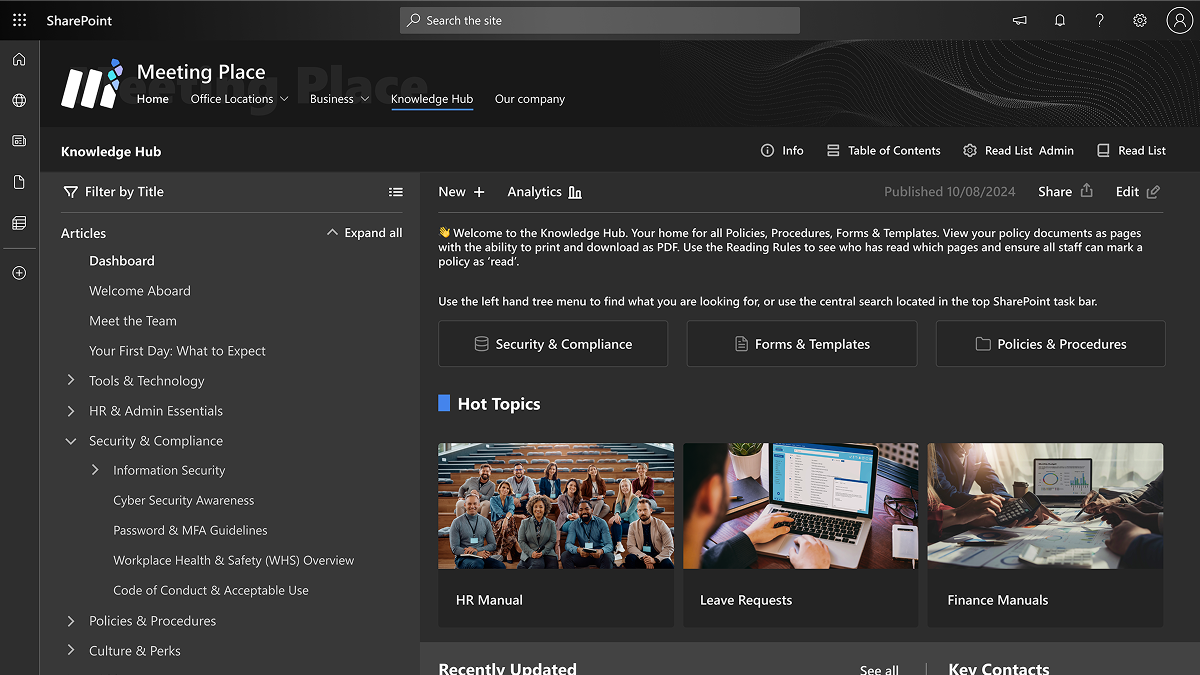
This is the layer where trust is the product. The knowledge base is where people go when the answer actually matters: when they need the correct process, the approved policy, the canonical version of something. Content here is curated, has clear ownership, has a last-reviewed date, and does not change unless someone with authority changes it.
This is fundamentally different from a team wiki. A knowledge base is not a place where anyone edits anything. It is a place where the right people maintain the right content to a defined standard, and everyone else can rely on it.
The failure mode here is treating it like a wiki: letting anyone edit anything, letting content drift, losing clear ownership. When that happens, people stop trusting it. And a knowledge base nobody trusts is worse than no knowledge base at all.
Sprocket Knowledge Hub is built for this layer. Hierarchical navigation, scoped search, document conversion and Read Lists for compliance tracking, all inside the Microsoft 365 tenant your IT team already manages.
Layer 3: The team workspace
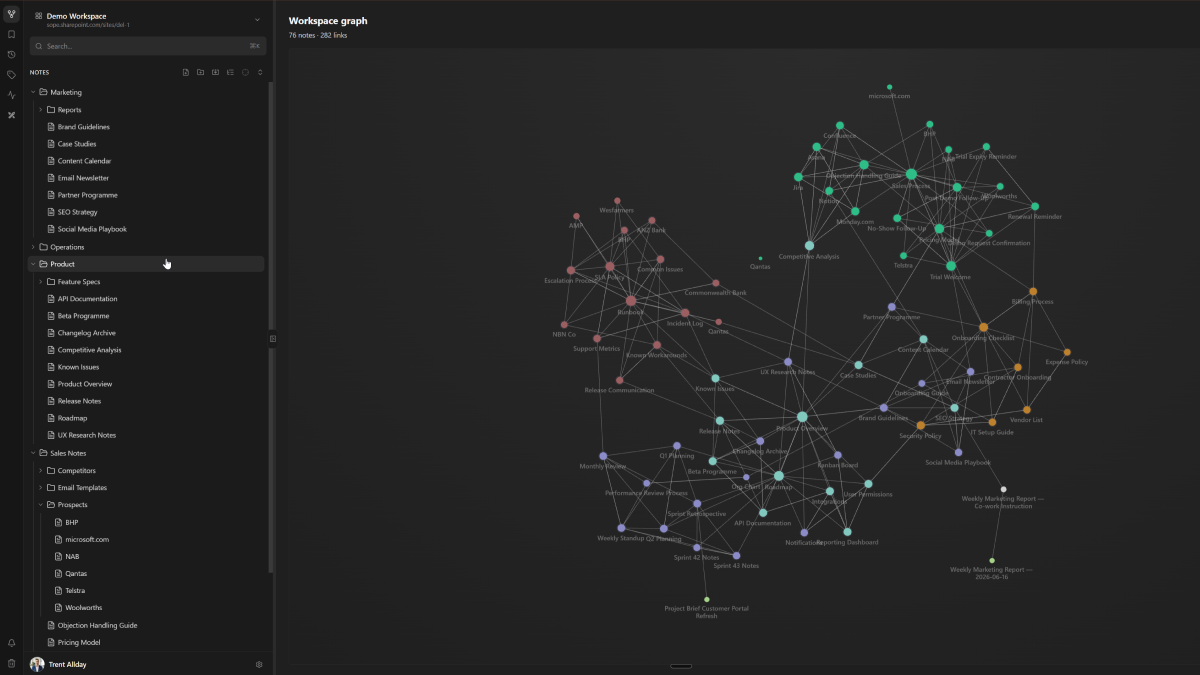
The team workspace is where a squad, department or project team writes things down for each other. How-tos, runbooks, meeting notes, decisions, onboarding docs, architectural notes. It is collaborative and living. Multiple people can edit it, and it evolves as the team evolves.
This layer has lower trust by design. It is not authoritative, it is useful. The test is not “is this correct?” It is “does this help the next person who needs to do this thing?”
Sprocket Orbit is the right home for this layer: markdown-native, backed by SharePoint permissions, and readable and writable by AI agents alongside your team in real time.
Layer 4: The personal workspace
The personal workspace is an individual's second brain. Notes from meetings, research, personal process docs, things worth remembering, thinking in progress. It is not shared by default, not maintained for anyone else, and does not need to be correct in any formal sense. It just needs to be useful to the person who wrote it.
Orbit supports personal workspaces within the same infrastructure. Knowledge captured here can be promoted to the team layer, and eventually to the knowledge base layer, as it matures and gets validated.
Why the layers matter: knowledge flows upward
Knowledge tends to originate at the personal layer and mature upward:
Personal note → Team workspace → Knowledge base → (sometimes) Intranet announcement
A developer figures out a tricky deployment process. They write it in their personal notes. They document it for the team workspace. IT formalises it as a standard process in the knowledge base. Comms announces the new process via the intranet.
Most organisations only have the top and bottom layers: a broadcast intranet and personal notes scattered across inboxes. The middle two layers, where the real operational knowledge lives, are the gap. Filling that gap is exactly what Sprocket is built for.
The AI dimension
As AI agents become part of how organisations work, the layer framework becomes even more important. Agents are only as useful as the knowledge they can access, and the quality of that knowledge depends entirely on which layer it lives at.
An agent grounded in a well-maintained knowledge base gives answers people can trust. An agent reading from a team workspace gives answers that are useful but need human verification. An agent reading from personal notes or raw intranet communications is likely to produce outputs that are too narrow or too generic.
A common mistake: conflating the layers
The most damaging thing you can do to your knowledge strategy is treat all four layers as the same problem.
Calling a knowledge base a “wiki” undersells it. It positions the knowledge base as the same tier as a team workspace, when it is fundamentally about a higher standard of trust and authority. People stop treating it as the source of truth and start treating it as just another place to dump things.
Equally, positioning a team workspace as a knowledge base misrepresents its strength. Team workspaces are built for collaboration and flow, not curation and governance. Trying to make them carry the weight of Layer 2 leads to stale, unowned content that nobody trusts.
Name the layers. Assign the tools. And let each layer do the job it was built for.
Getting started
If you are using SharePoint and want to address all four layers inside your own Microsoft 365 tenant, Sprocket covers the full stack:
- Layer 1 and 2: Sprocket Studio with web parts, branding templates and Knowledge Hub for authoritative reference content.
- Layer 3 and 4: Sprocket Orbit for collaborative team workspaces and personal notes, with native AI agent access via MCP.
Your pages, documents and notes all stay in your own tenant.
About the author
Trent Allday, Founder, Sprocket 365
Trent founded Sprocket 365 after years of building knowledge bases, intranets and digital workplaces on SharePoint with Sope, a Melbourne-based Microsoft partner.