Introducing Sprocket Orbit: A Collaborative Wiki Your AI Can Write To
By Trent Allday, Founder, Sprocket 365
For years, Sprocket 365 has done one job: make SharePoint better. Our web parts turn a capable but generic platform into a polished intranet and a proper knowledge base. Today we're adding a second product that picks up where SharePoint stops, in the place your team's knowledge actually gets written.
Meet Sprocket Orbit: a collaborative workspace for your team's notes, documentation, and wikis that your AI can write to. Claude, Copilot, and Codex connect directly, reading and writing as you work. Every note stays as a plain file in your organisation's OneDrive and SharePoint.
The problem Orbit solves
Most teams know the frustration. You want a fast, flexible space for how-tos, runbooks, meeting notes, decisions, and onboarding docs. The tools that do this well, like Notion and Obsidian, live outside your Microsoft 365 tenant. So IT says no, and they're right to: that's company knowledge sitting on someone else's servers, outside your compliance boundary.
The usual fallback is to bend SharePoint into a team wiki it was never built to be, or to let knowledge scatter across chat threads, personal OneNote files, and people's heads.
What about Loop and OneNote?
Microsoft already ships two tools that sound like they should fill this gap. In practice, both fall short, and the gap widens once you bring AI into the picture.
OneNote is great for personal jottings and ad-hoc note-taking. As a team knowledge base it struggles: the free-form canvas resists structure, there's no real page hierarchy or wiki navigation, and search gets unreliable as notebooks grow. Its content lives in a proprietary format, so an AI assistant can't read or edit a OneNote page as plain text the way it can a markdown file. You can paste Copilot's output in by hand, but the assistant can't maintain the page for you.
Loop is newer and more collaborative, with live components that sync across Teams and Outlook. But Loop pages are stored as a Microsoft-specific format inside containers you don't fully control, the structure is loose, and you're locked into Microsoft's own Copilot for any AI interaction. You can't point Claude or Codex at a Loop workspace and have them work directly in your notes.
That last point matters more every month. The useful question now is no longer “can my team edit this together?” It's “can my team and the AI assistants they already use read and write this together, without copy-paste in the middle?” Loop and OneNote both answer no.
Your AI can write to it
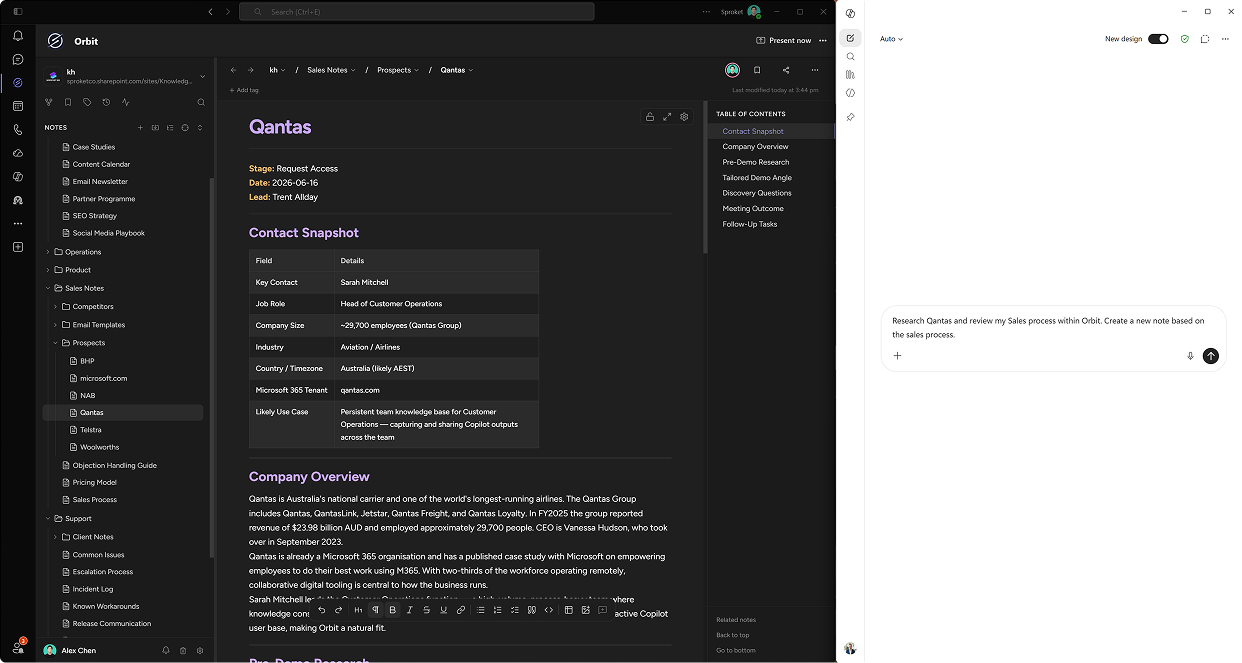
Orbit speaks the Model Context Protocol (MCP), the standard that lets AI assistants connect to real tools and data. Claude, Microsoft Copilot, Codex, and other MCP-compatible assistants can search, read, and update your notes directly, with the same permissions and version history as any teammate.
That changes when documentation happens. Instead of writing it up after the work, you capture it as part of the work. Ask Claude to draft a support runbook from a conversation and it patches the note in Orbit. Ask Copilot what the team decided about a rollout and it reads the answer straight from your wiki. The notes keep themselves current as you go.
Built for teams, not silos
Orbit is collaborative at its core:
- Real-time co-authoring. Edit the same note at the same time, with visible cursors and no overwritten changes.
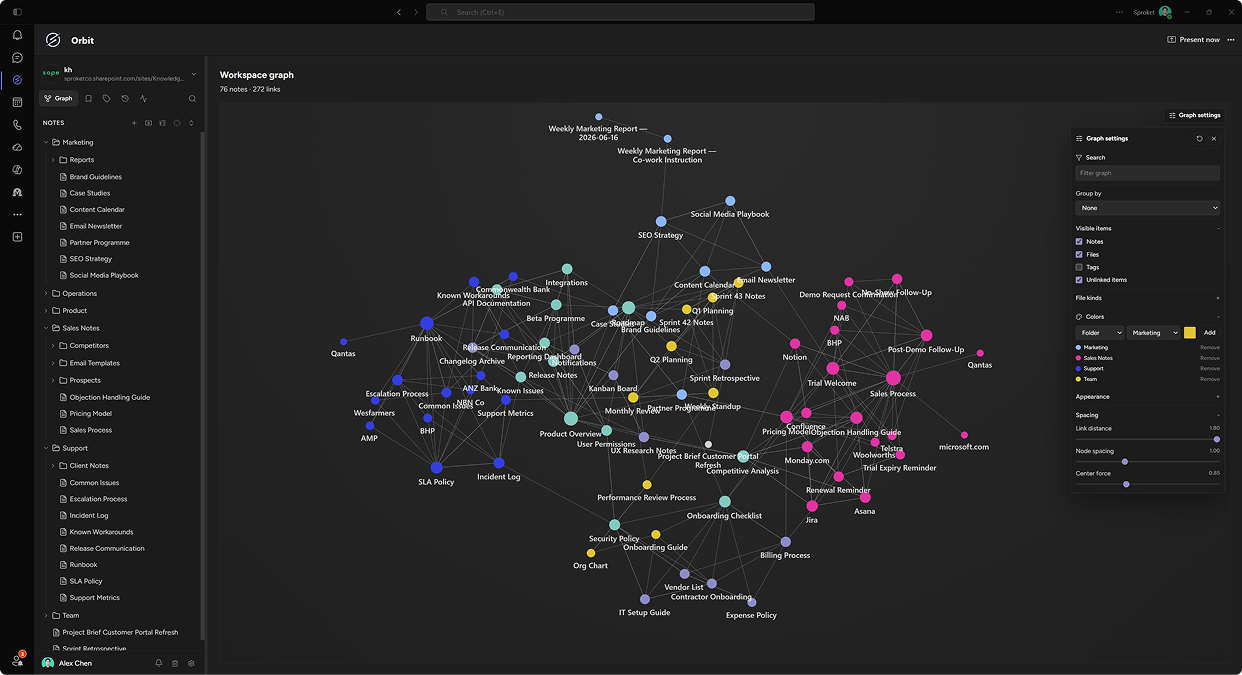
- Connected documentation. Link related notes as you write, with backlinks, full-text search, and a workspace graph that keeps everything findable.
- Effortless writing. A plain editor that formats as you type: headings, checklists, tables, diagrams, and maths, with no toolbar in the way.
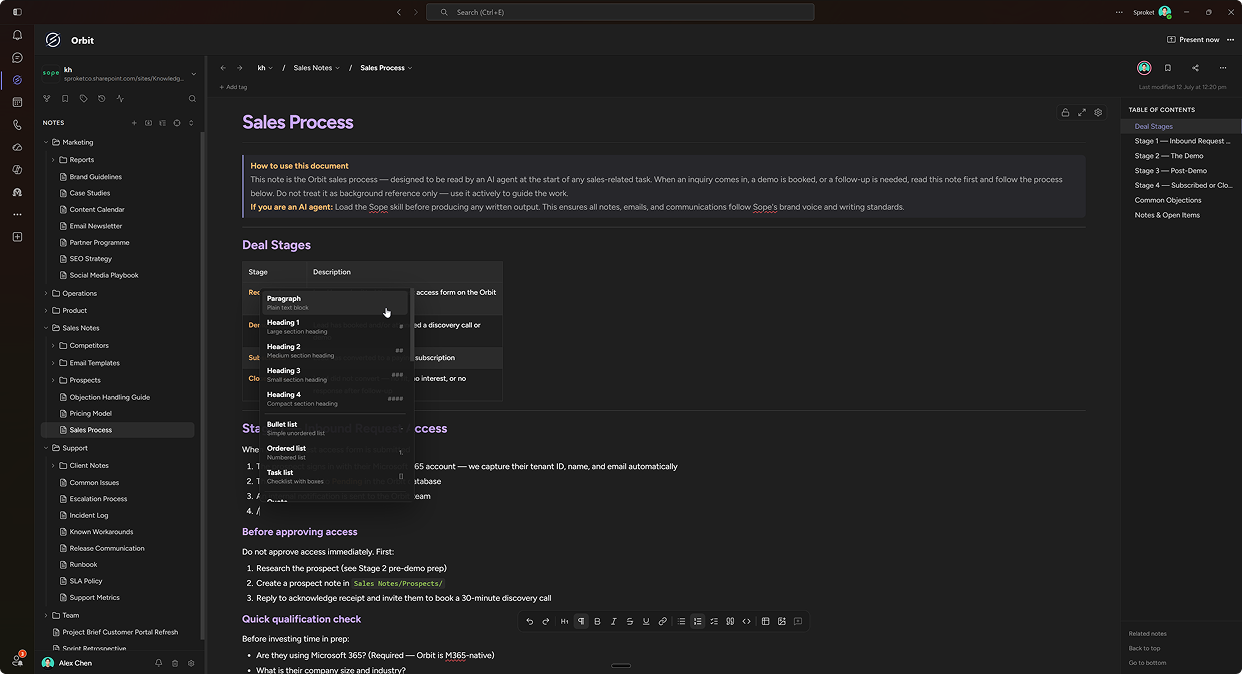
- No lock-in. Every note is a standard markdown file in OneDrive or SharePoint. Your content stays fully accessible, with or without Orbit.
Your documents never leave your organisation
Orbit authenticates with your Microsoft accounts and writes every note directly to the SharePoint sites and OneDrive folders you choose. There's no separate data store and no export of your content to a third-party cloud. Your existing permissions, retention policies, and compliance tooling apply exactly as they do for any other file in your tenant.
Where Orbit fits alongside Sprocket Studio
Orbit complements what you already know us for. We now run two products under the Sprocket 365 brand:
- Sprocket Studio is our SharePoint web parts suite: the polished intranet surface and the authoritative knowledge base, where curated, trusted content lives.
- Sprocket Orbit is the collaborative team wiki and second brain, where living, working knowledge gets captured and evolves.
Two layers of the same knowledge stack. Studio is the polished, governed front door. Orbit is the fast-moving working layer behind it.
Get started
Orbit is free during its launch phase. Install it from the Microsoft Teams Store and every install gets 10 seats automatically, with no subscription and no payment details needed. Explore Sprocket Orbit or get it on Microsoft Teams. We want to see what your team builds with it.
About the author
Trent Allday, Founder, Sprocket 365
Trent founded Sprocket 365 after years of building knowledge bases, intranets and digital workplaces on SharePoint with Sope, a Melbourne-based Microsoft partner.