SharePoint as a Learning Management System: What Works, What's Missing, and How to Fill the Gaps
By Trent Allday, Founder, Sprocket 365
Most organisations on Microsoft 365 already pay for SharePoint. Most also pay separately for a learning management system — Docebo, TalentLMS, Cornerstone, whatever landed in the IT estate a few years ago. The question IT teams keep coming back to is whether they can consolidate: use SharePoint as the LMS and cut the extra licence.
The honest answer is: it depends on what your training programme actually requires. For compliance training, onboarding, and knowledge-based learning, SharePoint can do the job — especially with the right web parts on top. For graded assessments, formal certification, and xAPI/SCORM course delivery, it cannot, and pretending otherwise wastes everyone's time.
This guide covers both sides clearly: what SharePoint handles natively, where the gaps are, how Sprocket 365 fills the practical ones, and which use cases still need a dedicated LMS.
What SharePoint can do for learning out of the box
SharePoint's native capabilities are more useful for L&D than people give them credit for:
- Document libraries — store training materials, policy documents, procedure guides, and reference content with version control.
- Pages and News — publish browser-readable content without needing a PDF download.
- Microsoft Search — employees can find training resources across the whole tenant without being told where to look.
- Permissions and audience targeting — restrict access to role-specific training content or surface relevant modules to the right people automatically.
- Teams integration — learning content is available inside Microsoft Teams without switching context, which dramatically improves completion rates for frontline workers.
- Viva Learning (if licensed) — Microsoft's dedicated L&D layer on top of M365, though it comes with its own licence cost and complexity.
If your training programme is primarily policy acknowledgement, onboarding flows, and reference knowledge — this foundation is genuinely solid. The problem is the missing layer between "storing content" and "running a learning programme."
Where SharePoint falls short as an LMS
A dedicated LMS does specific things that SharePoint doesn't handle natively:
- Completion tracking — there's no built-in way to know who has read which document, acknowledged which policy, or worked through which training page.
- Structured learning paths — there's no sequenced "module 1, then module 2" structure. Content sits in libraries and page collections with no enforced order.
- Quizzes and assessments — Microsoft Forms can bolt on basic questions, but SharePoint has no native graded assessment capability.
- Certificates and formal credentials — no native certificate issuance, SCORM support, or xAPI integration.
- Enrolment management — no way to assign specific training to specific employees and track who is overdue.
- Manager dashboards — no out-of-box view for a manager to see their team's training status at a glance.
These gaps matter differently depending on your organisation. A financial services firm running compliance training needs completion records and audit trails. A software company running a technical onboarding programme mostly needs well-structured, searchable content. The right solution depends on which gaps actually cost you time or risk.
How Sprocket fills the practical gaps
Sprocket 365 is a set of web parts and site features that run inside your existing SharePoint environment — no new system to log into, and your training content stays in your tenant. For L&D specifically, four capabilities close the gaps that matter most for compliance training and knowledge-based learning.
Structured learning paths via Knowledge Hub
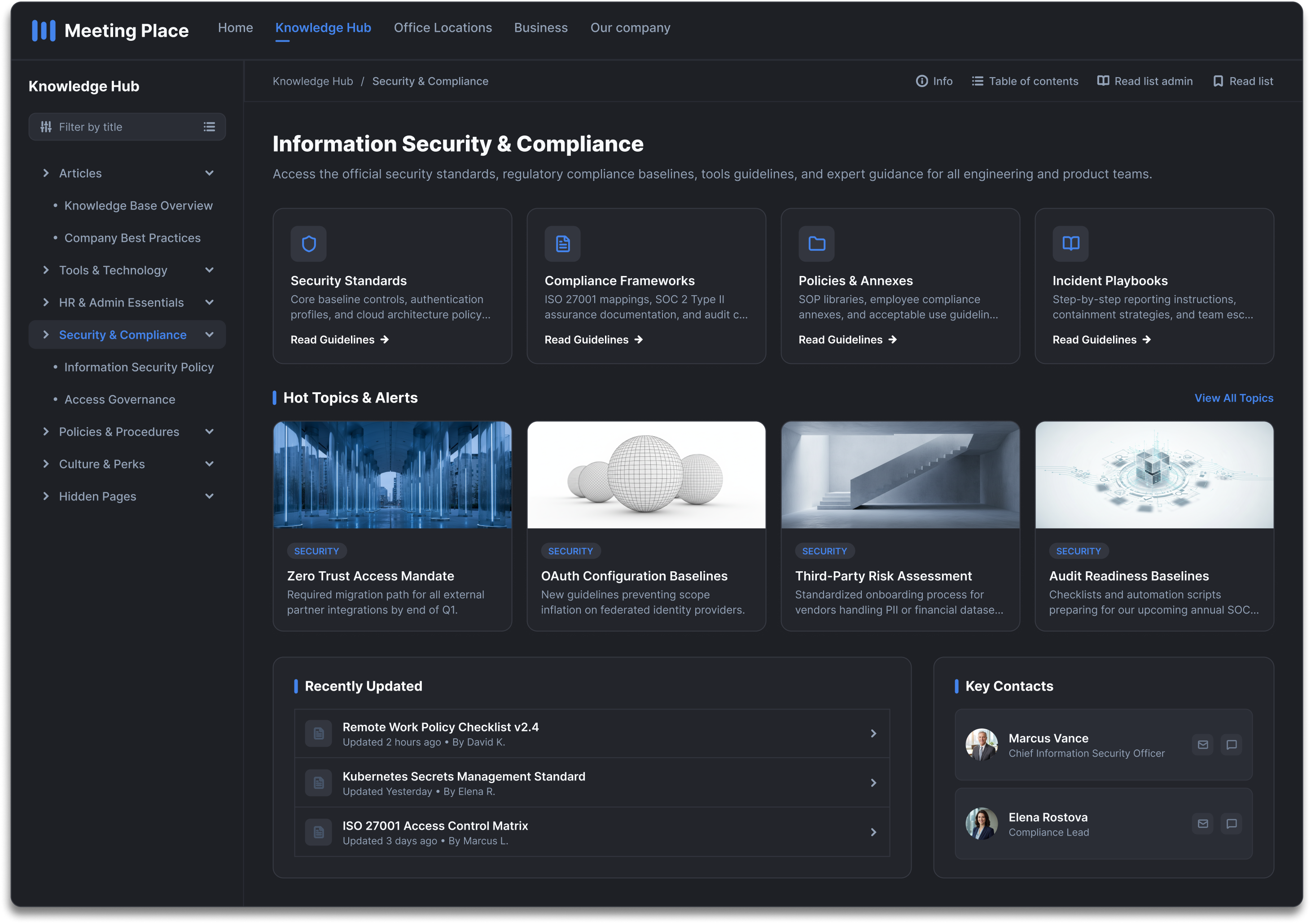
The Knowledge Hub gives any SharePoint site a hierarchical, wiki-style left navigation that editors control with drag-and-drop. For L&D this means you can structure your training as a proper course tree — an induction module with nested articles, a compliance section with required reading listed in order, a product training area with modules and sub-topics. Readers see the full course structure alongside the content; they always know where they are and what comes next.
Unlike a flat SharePoint document library, the Knowledge Hub tree enforces a clear learning sequence visually. Editors can mark pages as draft (hiding in-progress content from learners) and reorder material without touching page URLs or breaking links.
Completion tracking and compliance proof via Read Lists
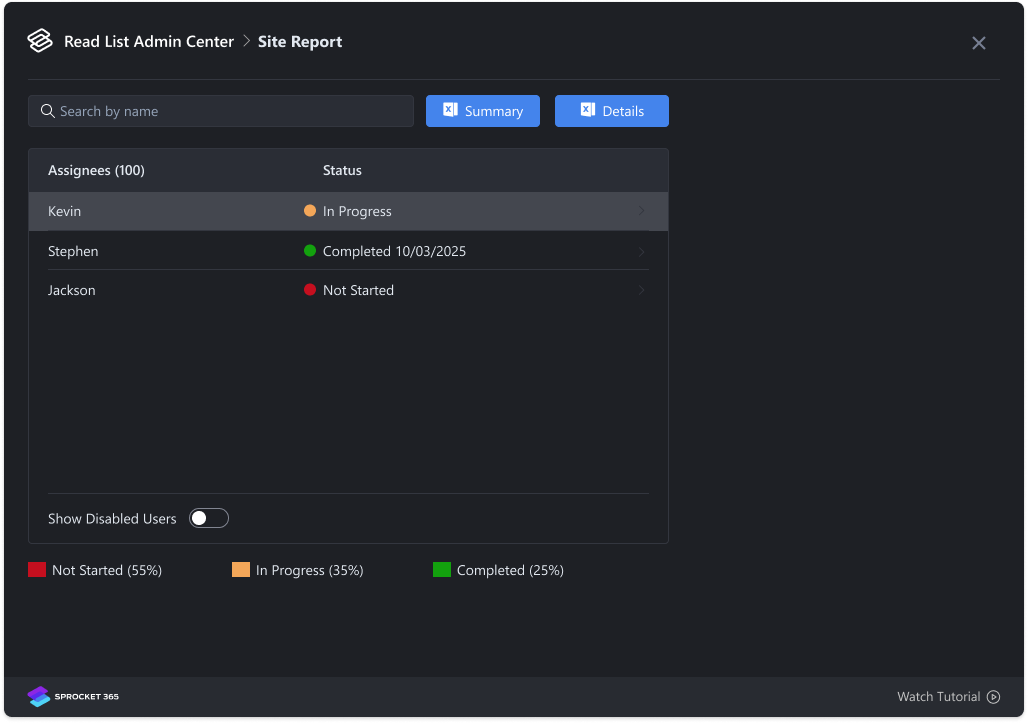
This is the biggest functional gap in SharePoint for L&D — and the one Sprocket closes most directly. Read Lists let administrators define which pages must be read by which users or groups, with optional due dates. Each employee sees a personalised checklist of what they're required to read. When they've worked through a page, they acknowledge it; the action is recorded with a timestamp.
Administrators get a full audit view: who has completed what, who is overdue, and when each item was acknowledged. Automated reminders go out to anyone with outstanding reading. For regulated industries — financial services, healthcare, construction — this creates a defensible compliance record without adding a separate compliance tool.
To surface this for employees, the Read Checklist web part can be added to any page — typically the training home page or an employee intranet home. It shows each person's outstanding and completed reading in a clean list, sortable by due date so the most urgent training rises to the top.
Turning existing training materials into course pages
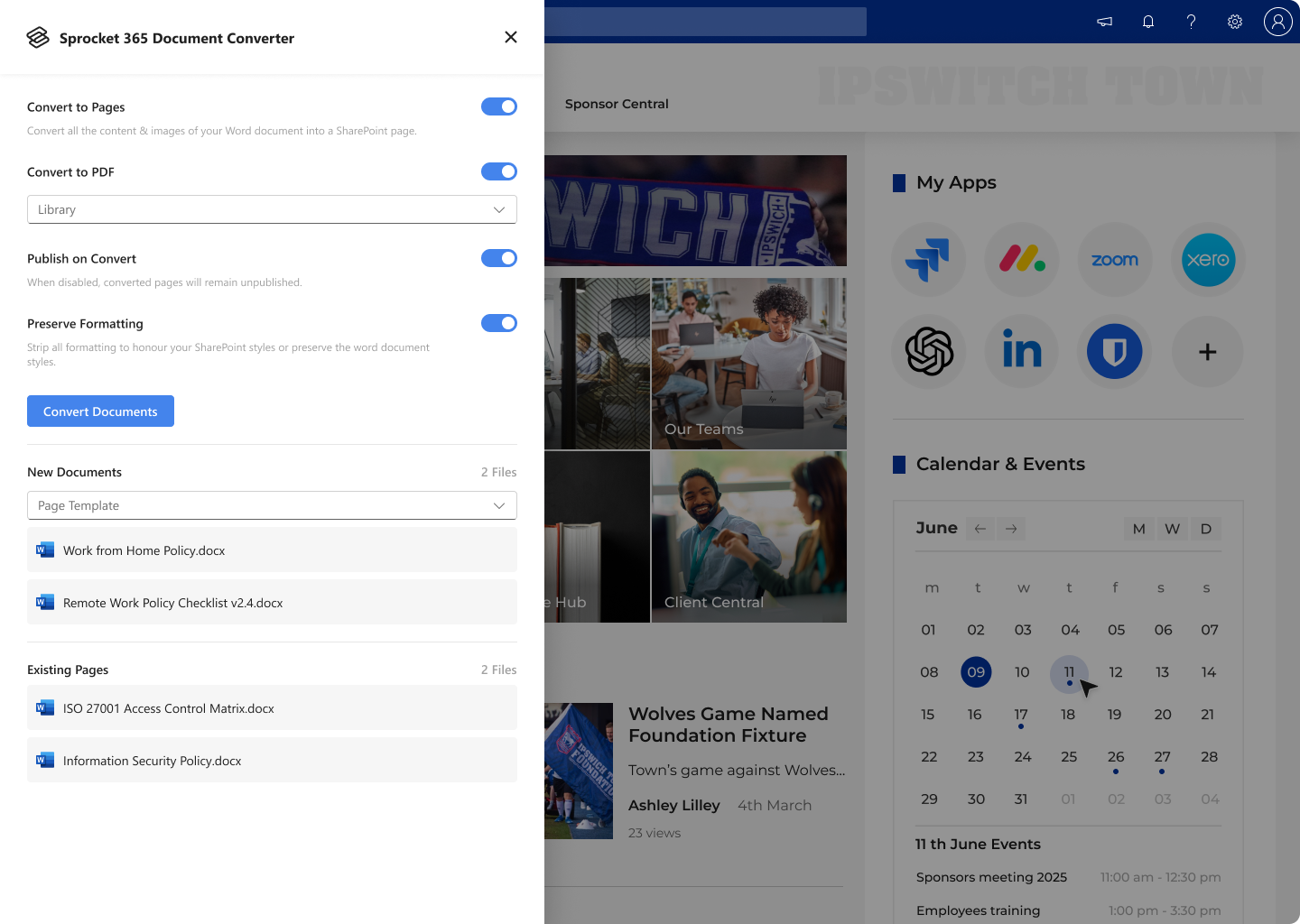
Most L&D teams have years of training content in Word documents. Uploading a Word file to SharePoint is fine for storage, but it forces learners to download and open each file — completion tracking becomes impossible and engagement drops. The Document Converter bulk-converts Word documents into proper SharePoint pages: browser-readable, searchable, compatible with Read Lists, and styled consistently with the rest of your site.
Run the converter on a document library full of training materials and you get proper course pages in minutes. Content that took L&D teams years to write doesn't need to be rewritten — it just needs to move from file storage into the platform.
Sequenced instruction via the Steps web part
For procedural training — how to raise a purchase order, how to submit an incident report, how to configure a system — the Steps web part provides numbered, structured step sequences that learners work through in order. Each step can include explanatory text, images, and links. The result looks more like a course module than a page of prose, which significantly improves the experience for process-based training.
A concrete example: compliance training for a regulated business
Here's how the pieces fit together for a common use case — annual compliance training in a regulated industry:
- Create a dedicated compliance training site in SharePoint. Enable Knowledge Hub to give it a course navigation tree.
- Convert existing policy documents using the Document Converter. Each policy becomes a browser-readable page inside the course tree.
- Set up Read Lists — assign each employee (or role group) to the policies they must acknowledge, with due dates aligned to your compliance calendar.
- Add the Read Checklist web part to the training home page. Each employee lands on a page that shows exactly what they need to read and by when.
- Run audit reports at the close of the compliance period. Export completion data for your records, chase overdue employees with automated reminders.
No new system. No extra logins. Training content stays in your Microsoft 365 tenant, and completion records are held in Sprocket's Australian-hosted service. The compliance team gets their audit trail; IT doesn't have to onboard a new vendor.
What SharePoint + Sprocket still can't replace
Being clear about the limits matters. If your training programme requires any of the following, a dedicated LMS is still the right answer:
- Graded quizzes and formal assessments — Microsoft Forms offers basic polling but not a proper graded assessment engine. If pass/fail matters, you need a real LMS.
- SCORM or xAPI packages — if your courses are packaged as SCORM 1.2, SCORM 2004, or Tin Can (xAPI) files, SharePoint cannot launch or track them. These are LMS-native formats.
- Certificates and digital credentials — no native certificate issuance. Some organisations use Microsoft Power Automate to generate PDF certificates when Read Lists are completed, but this requires custom workflow work.
- Complex prerequisite logic — "learner must complete Module A before unlocking Module B" is not enforced by SharePoint or Sprocket. It's possible to structure content in order, but it can't be technically locked.
- External learner access — SharePoint's permissions model is built for internal users. Delivering training to external partners, customers, or contractors at scale is significantly more complex.
Who should seriously consider this approach
SharePoint as a learning management system is a genuinely good fit for organisations where:
- The primary training need is compliance acknowledgement — policy reading, procedure sign-off, mandatory annual training — rather than graded assessment.
- Learners are all internal employees already licensed for Microsoft 365.
- The L&D team wants to consolidate tools rather than add a new platform to the Microsoft estate.
- Training materials are already in SharePoint or Word format — conversion rather than rebuilding.
- The budget for a full LMS licence can't be justified given the volume or complexity of training.
Mid-market organisations in regulated industries — healthcare, financial services, professional services, government — tend to find the most value here. The compliance tracking and audit trail features are exactly what these organisations need, and they're already paying for M365.
Getting started
If you're already using Microsoft 365 and want to see what a SharePoint-based learning platform looks like in practice, the fastest path is a Sprocket 365 trial. Knowledge Hub, Read Lists, the Document Converter, and the Steps web part are all included in Sprocket Studio. It installs from Microsoft AppSource directly into your tenant — no new infrastructure, no migration.
Start a 14-day free trial and build a compliance training module this week, or book a demo to see it running in a real SharePoint environment first.
About the author
Trent Allday, Founder, Sprocket 365
Trent founded Sprocket 365 after years of building knowledge bases, intranets and digital workplaces on SharePoint with Sope, a Melbourne-based Microsoft partner.